
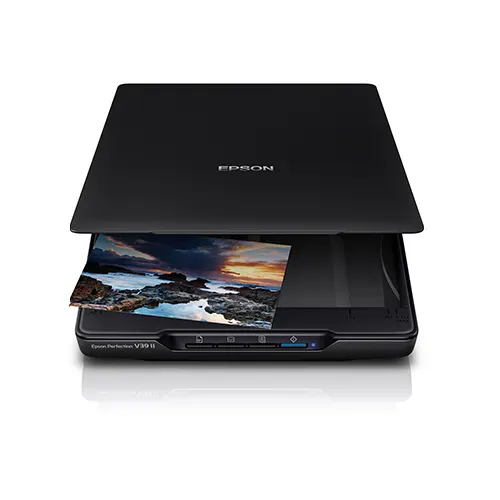
Epson Perfection V39II A4 Flatbed Scanner 4800 x 4800 dpi
Compact and stylish, the Epson Perfection V39II is an A4 flatbed scanner designed for small spaces but with big features.
£94.00 (ex. VAT) / £112.80 (inc. VAT)
+ Delivery - £10.00 (ex. VAT)/£12.00 (inc. VAT)
In stock for fast UK Dispatch
12 months free TechAssist support
1 year product warranty
Epson Perfection V39II Overview
The Epson Perfection V39II helps you scan photos, documents and bound originals from one slim device.
Its A4 flatbed design gives you more control than a sheet-fed scanner, especially when working with fragile items or thicker originals.
Use it to create digital copies of paperwork, family photos, artwork, book pages and albums. Epson software helps enhance image quality, improve text clarity and save files in useful formats such as PDF and searchable PDF.
Key Features of the Epson Perfection V39II
4800 dpi scanning for sharp results
Capture photos, documents, books and albums in clear detail with the Epson Perfection V39II’s 4800 x 4800 dpi optical resolution, ideal for everyday scanning and photo digitisation.
Flexible flatbed scanning with the Epson Perfection V39I
Scan more than loose sheets with the Epson Perfection V39II, including A4 documents, photographs, books, albums and thicker originals that cannot go through a document feeder.
Epson Perfection V39II with a space-saving design
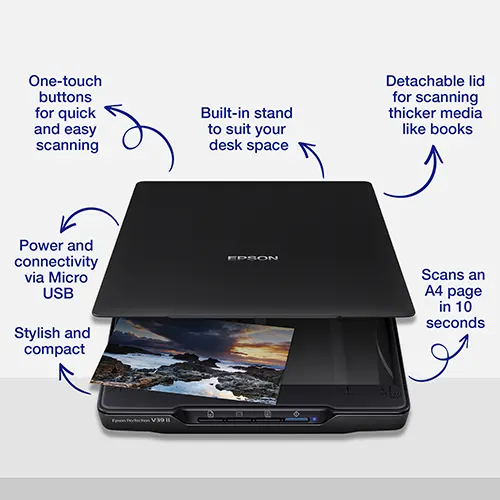
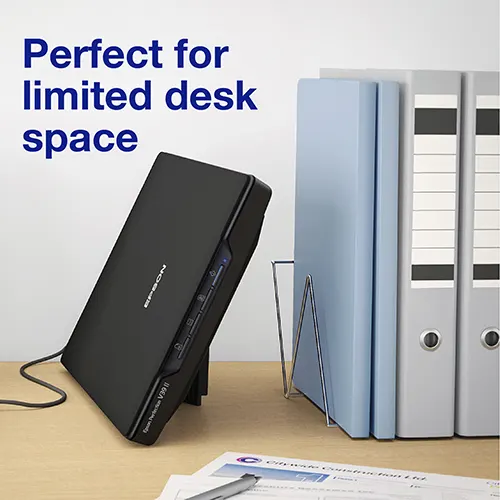
A slim design with an integrated stand helps save desk space, making the Epson Perfection V39II easy to store or keep close to hand in home and office workspaces.
Simple USB power and connection
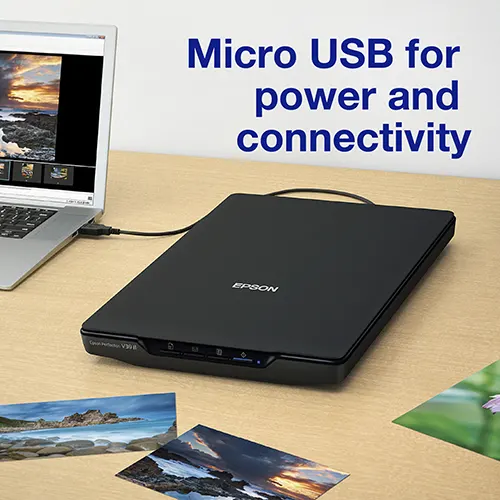
The Epson Perfection V39II uses its USB connectivity for both power and data transfer through a single cable. It helps keep things simple, and no need to find another power pocket.
Epson software and one-touch scanning
Included is Epson Document Capture which helps restore faded colours, remove dust and create searchable PDFs. One-touch buttons on the Epson Perfection V39II make it easy to scan to applications and cloud destinations.
The Epson Perfection V39II is best for
Photos, occasional A4 documents, books, albums and delicate originals. For high-volume batch scanning, choose an Epson WorkForce document scanner with an ADF to make easy work of documents, receipts and more.
FAQs
Is the Epson Perfection V39II suitable for photos?
Yes. The 4800 x 4800 dpi optical resolution makes it suitable for scanning photos, plus other documents and images.
Is it good for scanning books and photo albums?
Yes. The flatbed design and removable lid make the Epson Perfection V39II useful for thicker items such as books, albums and bound documents.
Can it scan upright?
Yes, the Epson Perfection V39II can scan upright for when desk space is limited. It features a clever integrated stand that twists out to keep it stable and neatly folds back when not needed.
Does the Epson Perfection V39II need a separate power adapter?
No. The Epson Perfection V39II uses a single USB connection for both power and data. This means you only need one cable, keep things simple and tidy.
Can the Epson Perfection V39II scan film/slides?
No. The Epson Perfection V39II is designed for reflective scanning, such as photos and documents. It uses CIS scanning technology and does not include the transparency light source needed to properly scan film negatives or slides.
For film and slide scanning, a dedicated photo scanner with transparency support would be more suitable. Epson currently do not offer a film scanner, but we do offer a great range from Microtek that still uses CCD technology.
Technical Specification
| Scanner type | Flatbed |
| Flatbed scan area | A4 (216 mm x 297 mm) |
| Optical resolution | 4800 x 4800 dpi |
| Sensor type | CIS |
| Light source | LED |
| Colour depth | Input: 48 Bits Colour, Output: 24 Bits Colour |
| Scan speed | 29 seconds (300 dpi colour) |
| Connectivity | USB 2.0 Micro-AB |
| Power supply | USB powered |
| Photo scanning | Yes |
| Book & album scanning | Yes |
| Removable ;id | Yes |
| Film / negative scanning | No |
| OCR support | Yes |
| Included software | Epson Copy Utility, Epson Document Capture (Mac only), Epson Document Capture Pro (Windows only), Epson Easy Photo Scan, Epson ScanSmart |
| Supported file formats | BMP, JPEG, TIFF, multi-TIFF, PDF, searchable PDF |
| Operating system support | Windows and Mac |
| Dimensions | 249 x 364 x 39 mm (Width x Depth x Height) |
| Weight | 1.5 KG |
| Warranty | 12-month RTB parts warranty |
| What’s in the box | Main unit, Setup guide, USB cable. Warranty document |
For full technical details, please refer to the product datasheet.
Only logged in customers who have purchased this product may leave a review.

TechAssist - We've got you covered
Every hardware purchase from BDM ArcScan now includes 12 months of FREE TechAssist support, worth over £120.00.
TechAssist gives you direct access to our support team for help with setup, troubleshooting and everyday technical questions.
Support is available by email, phone or remote session, so we can guide you through issues quickly and help keep your scanner running smoothly.
Please Note – Product model images/videos shown may show/include additional options, accessories and/or features available at additional cost. For additional information, please refer to product key features, product specification table and datasheet information. Features, specifications, software, and any additional information provided may be subject to change or revision without notice.
Any automatic processing features and benefits mentioned are intended to aid user experience, but results may vary depending on your usage and the media being scanned. Any errors or inaccuracies with automatic processing features and benefits do not indicate an error with the functionality of the scanner.
Equipment performance, features and capabilities are based on using the equipment’s proprietary included software. The use of the equipment with any third-party software is not guaranteed or implied and guidance should be sought from the third-party software manufacturer or vendor to ensure compatibility with your intended usage. BDM ArcScan does not provide such advice, guidance, or support pre or post-sale.
Equipment features and benefits may vary depending on the operating system version, configuration, and type. As such, differences in functionality and available features may occur. Please refer to the datasheet and specification information of the equipment fully to check if any such differences exist, especially between Windows and Mac operating systems. E&OE.
Reviews