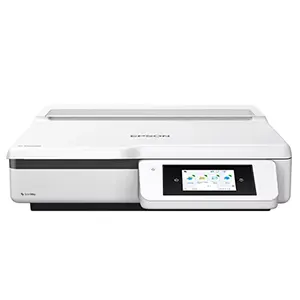
Flatbed Scanners – High-Quality A3 and A4 Document and Photo Scanning

Flatbed scanners deliver accurate, high-quality scans for documents, photos, and delicate originals. They’re ideal when you need careful positioning and consistent results. You place each item directly on the glass, which helps protect fragile materials.

Our range includes A4 and A3 flatbed scanners for home offices, businesses, and creative work. Use them to digitise contracts, certificates, ID documents, artwork, and photography. You’ll get sharp detail and reliable colour reproduction.

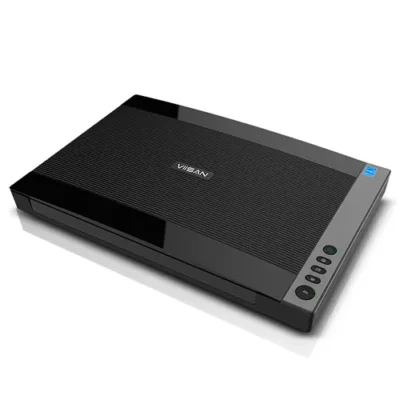
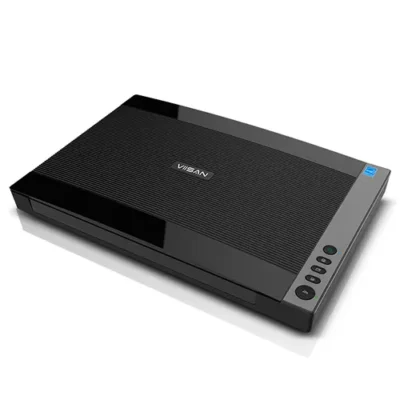
We stock trusted brands including Microtek, Epson and Viisan. Choose between CIS and CCD technology based on what you scan most. CIS scanners save space and suit everyday document scanning. CCD scanners deliver stronger detail, colour accuracy, and dynamic range for photos and artwork.

If you scan film, look for models with transparency scanning for slides and negatives (model-dependent). This helps you preserve archives and rediscover older images with impressive clarity. It’s a great option for photographers, studios, and anyone digitising family collections.

Many flatbed scanners include helpful software to speed up your workflow. Look for tools that handle cropping, deskewing, and colour correction to reduce manual edits. Choose the scanner that matches your size needs, quality goals, and scanning volume.

BDM ArcScan – Help you choose the right Flatbed Scanner.

Popular for

  • Photo scanning and archiving family collections

  • Artwork and portfolio digitisation

  • Certificates and important documents

  • Books, bound items, and fragile originals

  • Schools, studios, and office admin scanning

Ideal for these document types

  • Photos, prints, and artwork

  • Certificates, letters, and forms

  • Passports, IDs, and delicate originals

  • Bound documents and book pages

  • Slides and negatives (with transparency support)

Choosing a Flatbed Scanner: The Essentials

  • Scan size (A4/A3): choose the bed size you need most

  • Sensor type (CIS/CCD): CIS for compact use, CCD for best photo/art quality

  • Optical resolution: important for fine detail and enlargements

  • Colour and dynamic range: key for photos, artwork, and restorations

  • Transparency scanning: essential if you digitise slides/negatives

Discover our latest range of flatbed scanners below

Flatbed Scanners FAQs

What is a flatbed scanner, and when should I choose one?

A flatbed scanner uses a glass surface to scan items you place by hand. It works well for documents, photos, and anything delicate. Choose a flatbed if you scan books, certificates, IDs, artwork, or fragile originals. It’s also ideal when you want consistent positioning and reliable colour.

What’s the difference between a flatbed scanner and an ADF scanner?

A flatbed scanner scans items placed on the glass one at a time. An ADF scanner feeds stacks of pages automatically for speed. Flatbeds suit fragile, bound, or unusual items. ADF scanners suit high-volume multi-page paperwork.

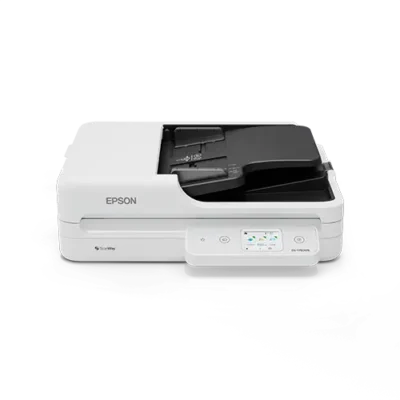
If you like the idea of both, well, you can! Ricoh offers a great choice of dual ADF and Flatbed models, in both A4 and A3 sizes, allowing you to get the best of both solutions but within one compact and easy-to-use device. Check out our Ricoh page to find out more.

Should I choose A4 or A3?

Choose A4 for everyday office documents and standard photo sizes. Choose A3 if you scan artwork, plans, oversized documents, or if you want extra flexibility. A3 models also help when you scan items that don’t sit neatly on an A4 bed.

CIS vs CCD: what’s the difference and which is best?

CIS scanners are compact and lighter. They suit general document scanning and save desk space. CCD scanners capture better depth and colour. They also handle uneven surfaces more effectively. CCD is often the better choice for photos, artwork, and professional-quality work.

BDM ArcScan is proud to be an official reseller of Microtek flatbed scanners, world leaders in CCD technology.

What resolution do I need for photos and documents?

For text documents, you usually don’t need extreme resolution. For photos and artwork, higher optical resolution helps preserve detail. If you plan to enlarge images or archive them long-term, prioritise optical resolution and colour accuracy rather than only speed.

Can flatbed scanners scan slides and negatives?

Some flatbed models support transparency scanning with a transparency unit, also called a TMA. This lets you digitise slides and film negatives. If you plan to scan film, check that the model supports it and that the scanning area matches your media. A great choice would be the Microtek ArtixScan 3200XL, our best A3 CCD flatbed scanner with 3200 dpi optical resolution, in-built TMA plus includes SilverFast editing software to help restore originals.

Are flatbed scanners good for scanning books?

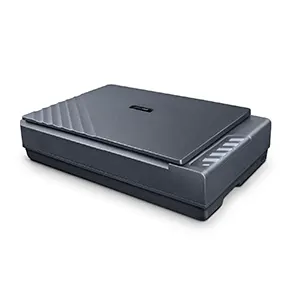
If you are looking to scan a book on a flatbed scanner, look out for models that are especially designed to help with this, such as the Plustek OpticBook A300 Plus with its unique book edge platen – allowing you to scan right into the edge of the book without spine shadow and minimising damage to the book spine and pages.

What file types can I save to?

Most flatbed scanners support common formats such as PDF and image files. For office records, PDF is usually the most practical. For photos, use image formats that preserve detail. Good software can also help with cropping, deskewing, and colour correction.

How do I choose the right flatbed scanner for my workflow?

Start with what you scan most: documents, photos, artwork, or film. Then choose the right bed size, sensor type, and resolution. If scan quality matters most, look for CCD and strong colour performance. If space matters most, choose a compact CIS model.

TechAssist - Support made simple and easy by experts

Get 3 months of expert after-sales support FREE with your new purchase from BDM ArcScan.

Get expert help when you need it most with TechAssist — your fast-track to priority support. Our team is ready via email, phone, or remote access to sort out all problems, however big or small. 

Enjoy 3 months absolutely free, with the option to continue for a low monthly cost. Cancel anytime, no strings attached.

We don’t just sell scanners — We match you with the right one

With so many scanners on the market, finding the right one can feel overwhelming.

That’s where we come in—cutting through the noise to understand how you work and what you really need with great advice and recommendations from leading brands you know and trust.

Once you’ve found your perfect fit scanner, we’ll back you up with support that doesn’t disappear after the sale.

Why not outsource your scanning. Simplify your business with us!

Free up time, space, and resources by letting us take care of your document scanning needs.

Whether it’s bulk archive scanning or ongoing paperwork processing, our expert team handles it all securely, efficiently, and with minimal disruption to your day-to-day operations.

Let us handle the scanning, so you can focus on what really matters — streamlined workflows and smarter business operations.

Please Note – Product model images/videos shown may show/include additional options, accessories and/or features available at additional cost. For additional information, please refer to product key features, product specification table and datasheet information. Features, specifications, software, and any additional information provided may be subject to change or revision without notice.

Any automatic processing features and benefits mentioned are intended to aid user experience, but results may vary depending on your usage and the media being scanned. Any errors or inaccuracies with automatic processing features and benefits do not indicate an error with the functionality of the scanner.

Equipment performance, features and capabilities are based on using the equipment’s proprietary included software. The use of the equipment with any third-party software is not guaranteed or implied and guidance should be sought from the third-party software manufacturer or vendor to ensure compatibility with your intended usage. BDM ArcScan does not provide such advice, guidance, or support pre or post-sale.

Equipment features and benefits may vary depending on the operating system version, configuration, and type. As such, differences in functionality and available features may occur. Please refer to the datasheet and specification information of the equipment fully to check if any such differences exist, especially between Windows and Mac operating systems. E&OE.