Overhead Scanners
Contactless Scanning. Protect Originals. Capture with Ease.
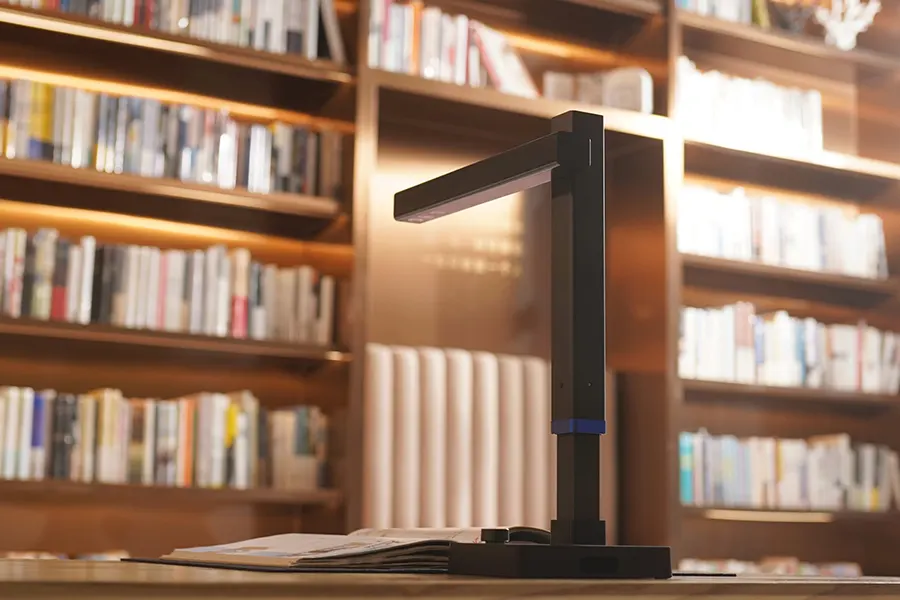
A2 and A3 overhead document scanners provide a safe and efficient way to digitise books, documents and fragile originals. By capturing images from above without pressing materials against a glass surface, they help protect delicate items during scanning. This makes them ideal for libraries, archives, museums, schools and offices.
Overhead scanners combine high-resolution imaging with fast, convenient operation. They capture sharp, detailed images of text, photographs and bound documents. Many models also include advanced features such as automatic page flattening, image correction and OCR (Optical Character Recognition), helping you achieve professional results with less manual processing.
Our range of overhead scanners includes models from CZUR, VIISAN, Ricoh and Unionovo. From compact desktop solutions to professional book scanning systems, you can find equipment to suit different document sizes, scanning volumes and applications.
Explore our range of A2 and A3 overhead scanners to find the right solution for your requirements. Whether you’re digitising everyday paperwork or preserving valuable collections, BDM ArcScan can help you choose equipment that meets your needs.
12-months TechAsist
Telephone, email and remote-access support included with every scanner.
Fast UK Delivery
Reliable UK delivery to get you up and running sooner.
Expert Advice
Friendly advice to help you choose the right scanner for your requirements.
Secure Checkout
Shop securely with safe online payment and checkout processing.
Why Choose an Overhead Scanner?
A2 and A3 overhead scanners capture originals from above, allowing documents to be digitised without being fed through rollers or pressed firmly against a scanning surface.
They’re ideal for books, bound material, fragile originals and other items that need careful handling during scanning.
- Scan books and bound documents without removing pages
- Protect fragile or delicate originals with contactless capture
- Capture A3 and larger originals quickly and conveniently
- Reduce page curvature with automatic flattening and correction tools
- Create digital files with OCR and searchable PDF options
Explore Our Overhead Scanners Range
-
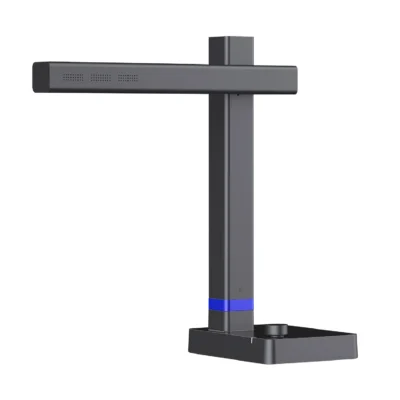
CZUR Shine Ultra 13MP A3 Document Scanner
£132.50 (ex. VAT) / £159.00 (inc. VAT) -

CZUR Shine Ultra Pro 24MP A3 Document Scanner
£215.83 (ex. VAT) / £259.00 (inc. VAT) -
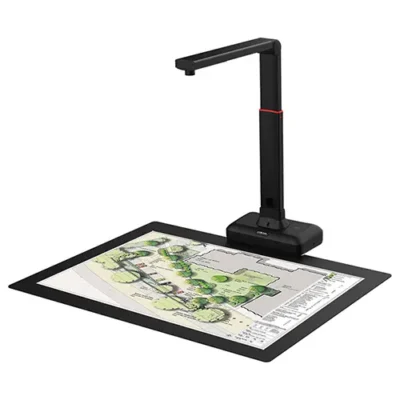
Viisan S21 20.1 MP A2 Overhead Document Scanner – Refurbished
£231.75 (ex. VAT) / £278.10 (inc. VAT) -
Viisan S21 20.1 MP A2 Overhead Document Scanner
£257.50 (ex. VAT) / £309.00 (inc. VAT) -

CZUR ET16 Plus 16MP A3 Overhead Book and Document Scanner
£276.67 (ex. VAT) / £332.00 (inc. VAT) -
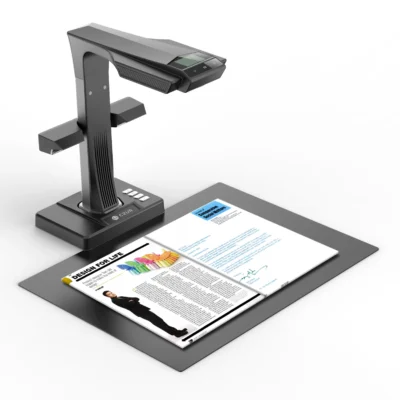
CZUR ET18 Pro 18MP A3 Overhead Book and Document Scanner
£360.00 (ex. VAT) / £432.00 (inc. VAT) -
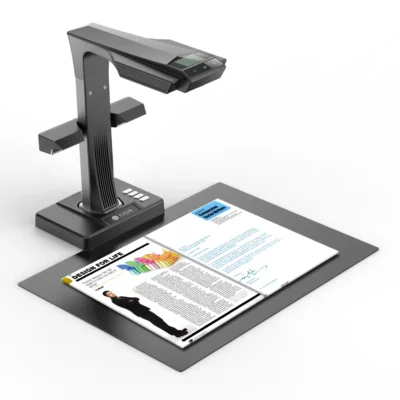
CZUR ET24 Pro 24MP A3 Overhead Book and Document Scanner
£435.00 (ex. VAT) / £522.00 (inc. VAT) -

CZUR ET25 Pro 25MP A3 Overhead Book and Document Scanner
£476.67 (ex. VAT) / £572.00 (inc. VAT) -
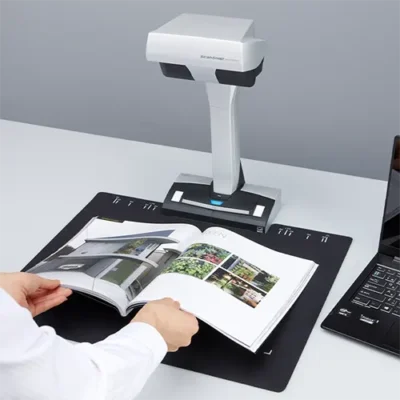
ScanSnap SV600 A3 Overhead Document and Book Scanner
£499.00 (ex. VAT) / £598.80 (inc. VAT) -

CZUR ET Max 38MP A3 Overhead Book and Document Scanner
£580.00 (ex. VAT) / £696.00 (inc. VAT) -
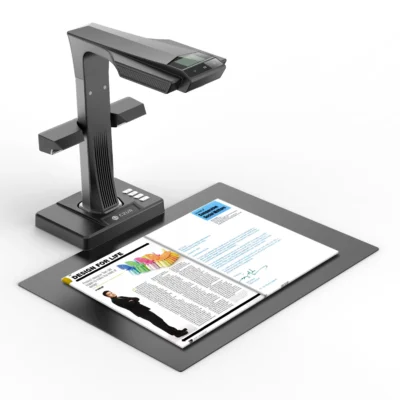
CZUR ET Ultra 40MP A3 Overhead Book and Document Scanner
£615.83 (ex. VAT) / £739.00 (inc. VAT) -
Sale!
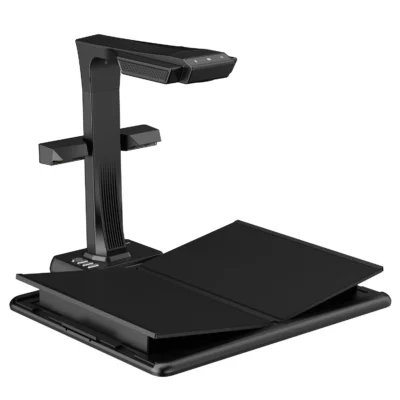
CZUR M3000 Pro V3 48MP A3 Overhead V-Shaped Book Scanner
£1,662.50 (ex. VAT) / £1,995.00 (inc. VAT)
All prices shown with and without UK VAT. Delivery charges may apply; please see the product listing or checkout basket for more information.
Overhead Scanner FAQs
Your Title Goes Here
Your content goes here. Edit or remove this text inline or in the module Content settings. You can also style every aspect of this content in the module Design settings and even apply custom CSS to this text in the module Advanced settings.
What is an overhead scanner, and who is it for?
An overhead scanner captures documents and other originals from above rather than feeding them through rollers or pressing them against a glass scanning bed.
They’re particularly useful for books, bound documents, magazines, fragile originals and larger materials, making them popular with libraries, archives, schools, offices, researchers and anyone who needs flexible, contactless document capture.
How is an overhead scanner different from a flatbed scanner?
A flatbed scanner requires the original to be placed face down on a glass surface. An overhead scanner captures the original from above, allowing books and other items to remain open and face upwards.
This makes overhead scanners particularly useful for bound books, thick documents and delicate originals where pressing the item flat could cause damage or make scanning difficult.
How is an overhead scanner different from an ADF or sheet-fed scanner?
An ADF scanner automatically feeds loose sheets through the scanner and is usually the better choice for processing large batches of standard office paperwork.
An overhead scanner does not feed the original through rollers, making it better suited to books, stapled material, fragile documents and unusual originals. The best choice therefore depends largely on what you need to scan.
Are overhead scanners good for scanning books?
Yes. Overhead scanners are particularly well suited to book scanning because books can remain open while pages are captured from above without being forced flat against a scanning surface.
Selected models also include software that can recognise and correct curved pages. For example, CZUR scanners use Book Curve Flattening technology, while compatible VIISAN and ScanSnap models also provide tools for correcting distortion around the book gutter.
Can overhead scanners scan A3 and A2 originals?
Yes. Many overhead scanners accommodate originals up to A3, making them suitable for books, magazines, documents and artwork larger than standard A4.
Selected professional models can capture up to A2, providing additional space for larger books, newspapers, maps and oversized material. Always check the maximum capture area of the individual scanner before purchasing. VIISAN, for example, currently offers both A3 and A2 overhead models.
How do overhead scanners correct curved book pages?
Selected overhead scanners use a combination of page detection and image-processing software to identify the curvature created when an open book does not lie completely flat.
The software can then digitally straighten or flatten the captured pages to improve readability and reduce distortion around the spine. Features vary between models, so book-curve correction is particularly worth checking if bound material will be your main scanning requirement.
Your Title Goes Here
Your content goes here. Edit or remove this text inline or in the module Content settings. You can also style every aspect of this content in the module Design settings and even apply custom CSS to this text in the module Advanced settings.
Can overhead scanners remove fingers, shadows and other unwanted areas?
Some models can. Advanced overhead scanning software may include finger removal, automatic cropping, background cleaning, deskewing and page correction to reduce the amount of manual editing required after capture.
CZUR and VIISAN both offer models with automatic finger-removal and book-processing tools, although available features depend on the scanner and software supplied.
What resolution do I need from an overhead scanner?
The right resolution depends on what you are capturing. Everyday documents and books generally require less detail than fine illustrations, artwork, small text or archival originals.
Overhead scanners may specify image quality using megapixels, output DPI or both, so specifications should be considered alongside sensor quality, optics, lighting and software processing rather than comparing a single resolution figure alone.
Can overhead scanners create searchable PDFs with OCR?
Yes. Many overhead scanners include OCR (Optical Character Recognition) software that can recognise text and convert scanned pages into searchable PDF files or, depending on the software, editable document formats.
This is particularly useful when digitising books, records, reports and other text-heavy material, as information can then be searched and retrieved more easily. Current CZUR and VIISAN models both offer OCR-based searchable PDF workflows.
How do overhead scanners deal with glossy pages and reflections?
Lighting is an important consideration when scanning glossy magazines, photographs and reflective originals, as direct illumination can create glare.
Selected overhead scanners include adjustable or additional side lighting designed to provide more even illumination and reduce reflections. Positioning, room lighting and the surface of the original can also affect the final result. CZUR’s current ET range, for example, includes an additional side light specifically intended to help with reflective material.
Can an overhead scanner also be used as a document camera or visualiser?
Can an overhead scanner also be used as a document camera or visualiser?
Some can. Selected overhead scanners provide live video or visualiser modes, allowing books, documents, objects or demonstrations to be displayed on a computer or presentation screen as well as scanned.
This can make them useful in classrooms, training rooms, meetings and presentations as well as for document digitisation. Current VIISAN models such as the K48 and DL24 include visualiser functionality, while selected CZUR scanners also support presentation modes.
Do you offer support and setup help for overhead scanners?
Yes. Every new scanner purchase from BDM ArcScan includes 12 months of TechAssist at no extra cost, providing telephone, email and remote support.
Our team can help with scanner setup, software, scan settings and practical workflows such as book scanning, image correction, OCR and searchable PDF creation, where supported by your chosen model.
Why buy from BDM ArcScan?
We’re more than just an online store — we’re document scanning specialists with over 30 years of experience. We work with all the key scanner brands and take pride in providing expert advice, personal service and ongoing support. From helping you choose the right equipment to 12 months of FREE TechAssist and our outsourced scanning bureau, we’re here to support you before, during and after your purchase.
Expert help choosing the right scanner
Not sure which scanner is right for your needs? Our expert team can help you compare models and features, matching the right scanner to your requirements and workflow so you can choose with confidence.
12 months of TechAssist included
Every new scanner purchase comes with 12 months of TechAssist FREE, giving you priority telephone, email and remote support whenever you need a helping hand with setup, software or those little technical issues.
Let us take care of your scanning
Our outsourced document scanning bureau can handle everything from one-off archive projects to ongoing scanning requirements, helping you save time, free up space and reduce the burden on your internal team.
Please Note – Product model images/videos shown may show/include additional options, accessories and/or features available at additional cost. For additional information, please refer to product key features, product specification table and datasheet information. Features, specifications, software, and any additional information provided may be subject to change or revision without notice.
Any automatic processing features and benefits mentioned are intended to aid user experience, but results may vary depending on your usage and the media being scanned. Any errors or inaccuracies with automatic processing features and benefits do not indicate an error with the functionality of the scanner.
Equipment performance, features and capabilities are based on using the equipment’s proprietary included software. The use of the equipment with any third-party software is not guaranteed or implied and guidance should be sought from the third-party software manufacturer or vendor to ensure compatibility with your intended usage. BDM ArcScan does not provide such advice, guidance, or support pre or post-sale.
Equipment features and benefits may vary depending on the operating system version, configuration, and type. As such, differences in functionality and available features may occur. Please refer to the datasheet and specification information of the equipment fully to check if any such differences exist, especially between Windows and Mac operating systems. E&OE.