ScanSnap Scanners
Effortless document scanning for work, home and mobile use.
ScanSnap scanners make everyday document capture fast, simple and intuitive.
From home offices and mobile working to busy professional environments, ScanSnap makes it easy to digitise documents, receipts, business cards, photographs and more.
With intelligent image processing, OCR and ScanSnap Home software, you can create organised, searchable files with less manual work.
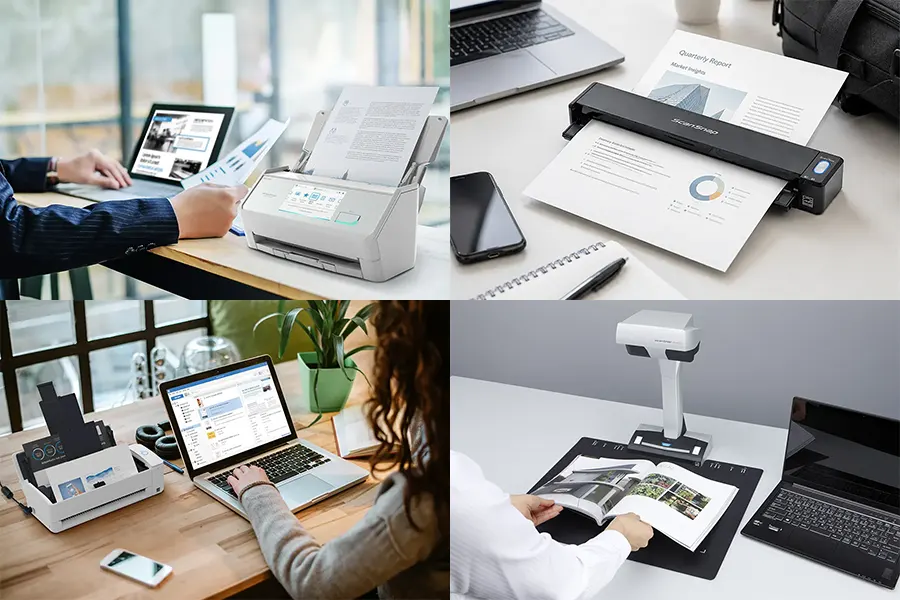
Whether you need a compact portable scanner, a powerful desktop model or an overhead solution for books and delicate originals, ScanSnap is designed to make scanning effortless.
Discover the complete ScanSnap scanners range with BDM ArcScan, including the latest iX Series and SV600 models.
ScanSnap Specialists
With specialist knowledge across the ScanSnap scanner range, we’ll help you choose the right model for your requirements and workflow.
12-months TechAsist
Fast UK Delivery
With reliable UK delivery, we’ll help get your ScanSnap scanner to you quickly so you can get up and running sooner.
Expert advice
With over 30 years of experience and knowledge, we provide expert guidance and support from initial enquiry through to installation and beyond.
Why Choose a ScanSnap Scanner?
ScanSnap document scanners are designed to make everyday scanning simple, fast and intuitive, combining one-touch operation with intelligent software to reduce setup and manual processing.
Ideal for home offices, professionals and small businesses, ScanSnap makes it easy to digitise paperwork, receipts, business cards, photographs and other everyday documents.
- Scan documents quickly with simple one-touch operation
- Create searchable PDFs using built-in OCR
- Automatically crop, rotate and enhance scanned images
- Organise documents, receipts and business cards with ScanSnap Home
- Choose from portable, desktop and overhead scanning solutions
With easy setup, reliable performance and intelligent automation, ScanSnap scanners help you capture, organise and access information with less time spent managing paperwork.
Explore the ScanSnap Scanners Range
From portable and compact desktop models to overhead scanning, discover the ScanSnap designed to suit the way you work.
ScanSnap iX2500 – The connected one
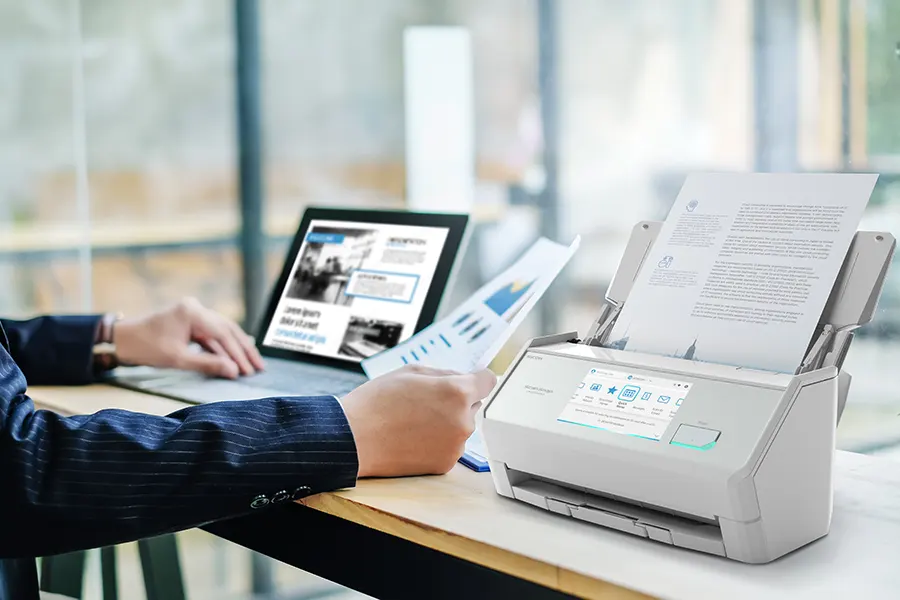
ScanSnap iX2500 is a fully connected desktop scanner built for home and light office use. Easy touchscreen controls, flexible connectivity, and a simple workflow help you stay productive whether you’re working from home or in the office. Choose white or black designs
- Up to 45 ppm/90 ipm
- 100-sheet ADF
- USB/Wi-Fi/Bluetooth
From £304.00 (ex. VAT) / £364.80 (inc. VAT)
ScanSnap iX2400 – The easy to use one
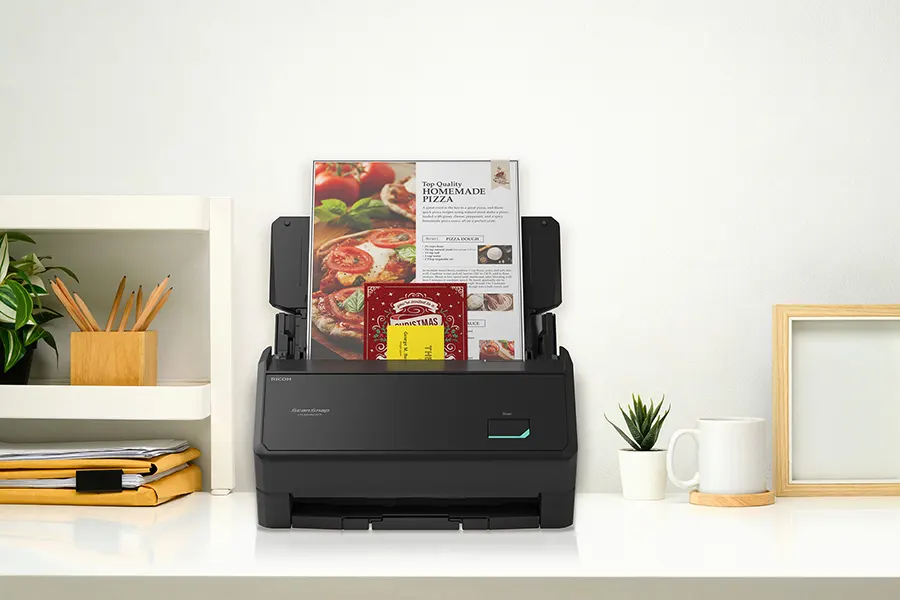
Designed for simple, one-touch scanning, the ScanSnap iX2400 lets you scan, save, and share documents quickly. It turns paperwork into the digital files you need in seconds, helping you stay organised and save time at home or in the office. Choose white or black designs.
- Up to 45 ppm/90 ipm
- 100-sheet ADF
- USB 3.2
From £258.00 (ex. VAT) / £309.60 (inc. VAT)
ScanSnap iX100 – The portable one
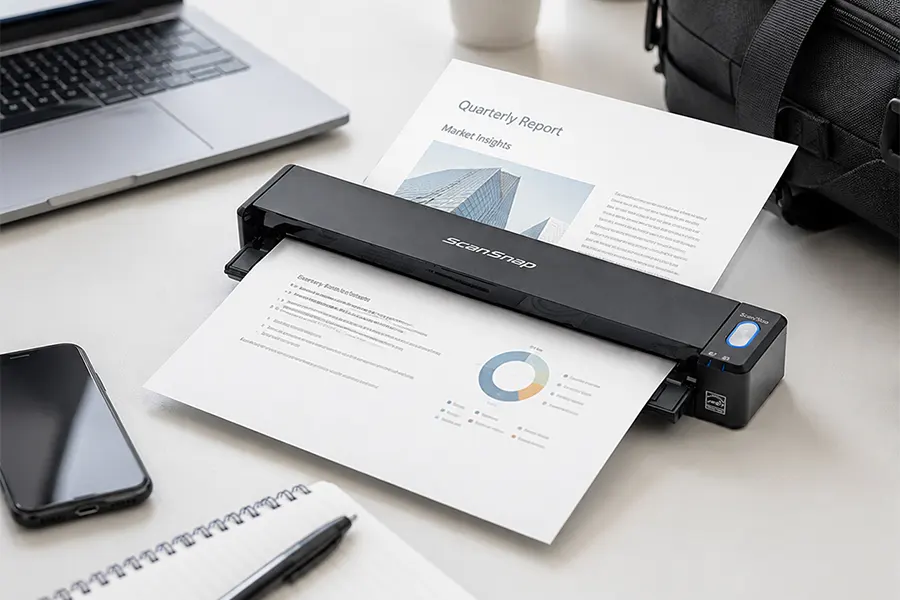
Ultra-portable, the ScanSnap iX100 is a compact, wireless scanner built for scanning on the move. With easy-to-use software and Wi-Fi scanning to the cloud or mobile, it helps you capture A4 pages quickly, whether you’re travelling or working in a small space to keep you organised.
- 5.2 seconds per page
- Simplex scanning
- Wi-Fi/USB 2.0
£169.00 (ex. VAT) / £202.80 (inc. VAT)
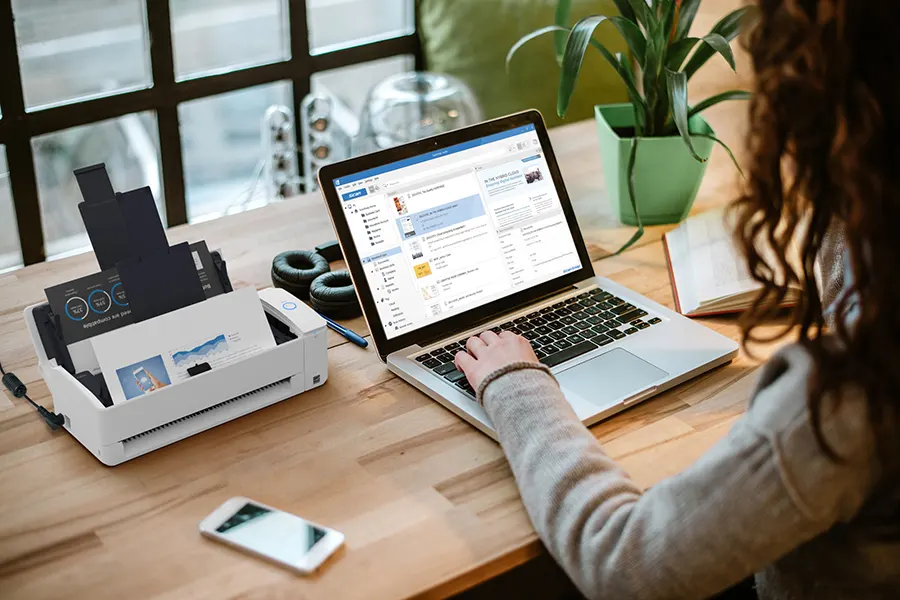
ScanSnap iX1300 – The compact one
The ScanSnap iX1300 is a practical, space-saving scanner that still delivers strong performance. Its compact, lightweight design fits neatly on almost any desk, making it easy to stay productive whether you’re working from home or in the office.
- Up to 30 ppm/60 ipm
- 20-Sheet ADF
- Duplex scanning
- USB 3.2/Wi-Fi
£217.00 (ex. VAT) / £260.40 (inc. VAT)
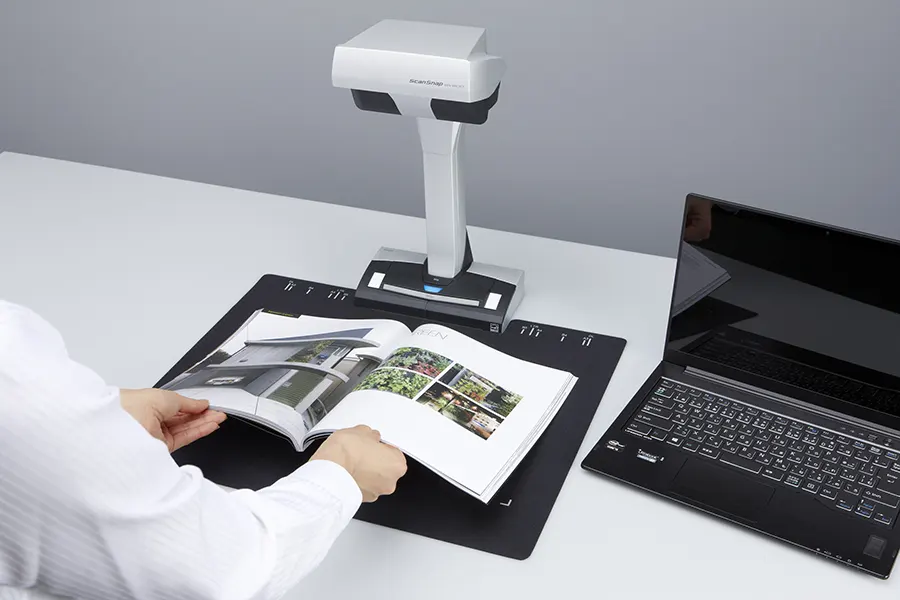
ScanSnap SV600 – The contactless one
Built for challenging originals, ScanSnap SV600 is an overhead scanner for books, artwork, and fragile items. Its award-winning design captures bound documents and delicate materials quickly and safely, including items sensitive to UV light.
- Scan up to A3 size
- Fast 3-second scan speed
- USB 2.0
£499.00 (ex. VAT) / £598.80 (inc. VAT)
All prices shown with and without UK VAT. Delivery charges may apply; please see the product listing or checkout basket for more information.
ScanSnap scanners: Enjoy up to 3 years of worry-free scanning

Fancy a 3-year warranty instead of the standard 1-year cover, for free? That’s right — all new ScanSnap customers can upgrade to a 3-year warranty simply by registering their purchase.
It’s a quick and easy process that gives you extra peace of mind, knowing your scanner is fully protected. As soon as your new scanner arrives, head over to the ScanSnap registration page, and with just a few clicks, you’re covered.
Built for everyday use and reliable performance, ScanSnap scanners keep your scanning smooth and hassle-free for years to come — all at no extra cost.

ScanSnap Home: Simple, Smart Document Management for all ScanSnap Scanners
Simplify your workflow with ScanSnap Home, the software that powers ScanSnap scanners on both Mac and Windows. Quickly scan, organise, and convert documents into the applications you use most, saving time and keeping files neatly organised.
Ideal for families and small businesses, ScanSnap Home helps you manage, control, and share paperwork with family, friends, or colleagues. With ScanSnap scanners, you can keep important documents easy to find and ready when you need them.
Small businesses can scan and share vital files with team members, with simple cloud access for remote collaboration. Families can preserve personal memories and essential records digitally, ready to access at any time.
ScanSnap Home comes included with all ScanSnap scanners, giving you a powerful, intuitive tool to keep your digital workspace tidy, efficient, and hassle-free.
Save Time
Scan documents, receipts, business cards, and photos, and let ScanSnap Home automatically sort and suggest file names. Find family photos, invoices, or important documents instantly — no more endless searching.
Stay Organised
Preview, manage, tag, and retrieve your files with ease. ScanSnap Home keeps your important documents and memories neatly organised, so you never lose track of what matters.
Share Instantly
Scan and share files via the cloud with colleagues, family, or friends. Access your documents from anywhere, whenever you need them.
Capture Memories
Preserve precious photos, letters, and keepsakes digitally. ScanSnap Home keeps your memories close and easily accessible.
Access Information
Powerful tagging and search features make retrieving files from your cloud storage fast and simple.
Protect Documents
Disasters happen — floods, fires, or legal disputes can strike unexpectedly. ScanSnap Home ensures critical documents are safe and recoverable, helping you get back to business quickly.

BDM ArcScan TechAssist: Free for 12 Months on all ScanSnap Scanners
Every ScanSnap purchase includes 12 months of TechAssist, our support service at no extra cost. Get help when you need it with telephone, email and remote access support, so you can set up quickly and keep scanning smoothly from day one.
-
Telephone support for quick answers
-
Email support for follow-ups and guidance
-
Remote access support to help resolve setup issues faster
-
Help with installation and setup
-
Guidance on scan settings and workflows
Click to find out more!
ScanSnap Scanners FAQs
Your Title Goes Here
Your content goes here. Edit or remove this text inline or in the module Content settings. You can also style every aspect of this content in the module Design settings and even apply custom CSS to this text in the module Advanced settings.
What is a ScanSnap scanner and what is it best for?
ScanSnap scanners are designed to make everyday document scanning quick and simple.
They are ideal for home users, professionals and small businesses that want to digitise paperwork, receipts, business cards, photographs and other everyday documents without the complexity of a traditional capture system.
Which ScanSnap scanner is right for me?
The best ScanSnap depends on how and where you scan.
The iX100 is ideal for portable scanning, the iX1300 for compact desktop use, the iX2400 for simple, fast USB-connected scanning and the iX2500 for users wanting greater connectivity and flexibility.
For books, magazines and delicate originals, the overhead SV600 is the specialist choice.
Are ScanSnap scanners easy to use?
Yes. Ease of use is one of the main advantages of ScanSnap. Automatic image processing and simple controls reduce the need to configure complicated settings, while models such as the iX2400 offer straightforward one-button scanning for fast everyday document capture.
Do ScanSnap scanners support duplex scanning?
Most ScanSnap automatic document feeder (ADF) models, including the iX1300, iX2400 and iX2500, can scan both sides of a document in a single pass. This makes processing double-sided documents and multi-page batches much quicker. The portable iX100 and overhead SV600 use different scanning methods and are simplex models.
Can ScanSnap scanners create searchable PDFs?
Yes. ScanSnap Home uses OCR to recognise text within scanned documents and create searchable PDF files. This adds an invisible text layer to the scanned image, allowing you to search for words and information within individual documents and across your stored files.
Which ScanSnap scanners support Wi-Fi?
Wi-Fi connectivity is available on selected ScanSnap models, including the iX100, iX1300 and iX2500.
This provides greater flexibility over where the scanner is positioned and how scans are transferred. Models such as the iX2400 are designed around a direct USB connection for users who prefer a simple wired setup.
Your Title Goes Here
Your content goes here. Edit or remove this text inline or in the module Content settings. You can also style every aspect of this content in the module Design settings and even apply custom CSS to this text in the module Advanced settings.
What is ScanSnap Home and is it free?
ScanSnap Home is the software used with compatible ScanSnap scanners to scan, organise and manage your files. It supports features such as searchable PDFs, automatic image correction, file organisation and document recognition, and is available for supported ScanSnap models without requiring a separate software licence purchase.
Can I use a ScanSnap without a computer?
Selected ScanSnap models, such as the Ix2500, provide scanning options that reduce or remove the need to work directly through a computer.
Depending on the model and setup, scans can be sent using mobile, cloud or direct network workflows. If PC-free scanning is important to you, check the capabilities of the individual model before purchasing.
Are ScanSnap scanners compatible with Windows and Mac?
Current ScanSnap models support compatible Windows and macOS environments, although available features and software support can vary between models and operating system versions.
We recommend checking the current compatibility information for your chosen scanner before purchasing, particularly if you are using a newer operating system or an ARM-based computer.
Which ScanSnap is best for portable and mobile scanning
The ScanSnap iX100 is the dedicated portable model in the range. Its compact, lightweight design makes it easy to carry between locations, while wireless connectivity makes it well suited to mobile professionals, remote workers and anyone who needs to scan documents away from a permanent desk.
I need to scan books & magazines — which model should I choose?
The ScanSnap SV600 is designed for books, magazines, bound documents and other originals that cannot easily be fed through a conventional scanner. Its overhead, contact-free design captures pages from above, helping protect bindings and delicate originals while avoiding the need to press them flat.
Are Fujitsu ScanSnap scanners now Ricoh ScanSnap scanners?
Yes. ScanSnap was previously sold under the Fujitsu brand, but PFU’s scanner products are now marketed under the Ricoh brand. This is why older ScanSnap models and online information may still refer to Fujitsu, while newer products and packaging carry Ricoh branding.
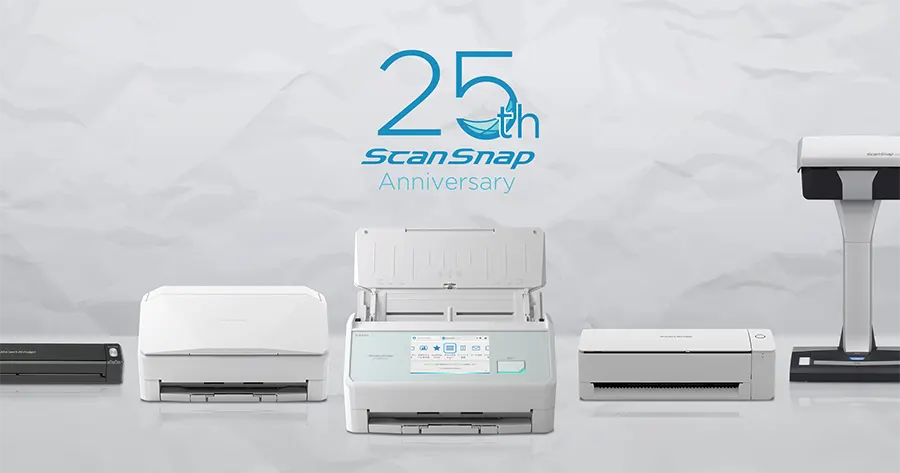
ScanSnap Scanners – Celebrating 25 years of making scanning easier
Since the first ScanSnap launched in 2001, the range has spent 25 years making document scanning simpler for homes, professionals and businesses.
From the iconic one-touch blue button to today’s intelligent ScanSnap Home software, ScanSnap has continued to evolve while keeping ease of use at its heart — helping users turn documents, receipts, photographs and more into organised digital files quickly and effortlessly.
25 years of simple scanning — and still evolving.
Why buy from BDM ArcScan?
We’re more than just an online store — we’re document scanning specialists with over 30 years of experience. We work with all the key scanner brands and take pride in providing expert advice, personal service and ongoing support. From helping you choose the right equipment to 12 months of FREE TechAssist and our outsourced scanning bureau, we’re here to support you before, during and after your purchase.
Expert help choosing the right scanner
Not sure which Ricoh document scanner is right for your needs? Our expert team can help you compare models and features, matching the right scanner to your requirements and workflow so you can choose with confidence.
12 months of TechAssist included
Every new scanner purchase comes with 12 months of TechAssist FREE, giving you priority telephone, email and remote support whenever you need a helping hand with setup, software or those little technical issues.
Let us take care of your scanning
Our outsourced document scanning bureau can handle everything from one-off archive projects to ongoing scanning requirements, helping you save time, free up space and reduce the burden on your internal team.
Please Note – Product model images/videos shown may show/include additional options, accessories and/or features available at additional cost. For additional information, please refer to product key features, product specification table and datasheet information. Features, specifications, software, and any additional information provided may be subject to change or revision without notice.
Any automatic processing features and benefits mentioned are intended to aid user experience, but results may vary depending on your usage and the media being scanned. Any errors or inaccuracies with automatic processing features and benefits do not indicate an error with the functionality of the scanner.
Equipment performance, features and capabilities are based on using the equipment’s proprietary included software. The use of the equipment with any third-party software is not guaranteed or implied and guidance should be sought from the third-party software manufacturer or vendor to ensure compatibility with your intended usage. BDM ArcScan does not provide such advice, guidance, or support pre or post-sale.
Equipment features and benefits may vary depending on the operating system version, configuration, and type. As such, differences in functionality and available features may occur. Please refer to the datasheet and specification information of the equipment fully to check if any such differences exist, especially between Windows and Mac operating systems. E&OE.