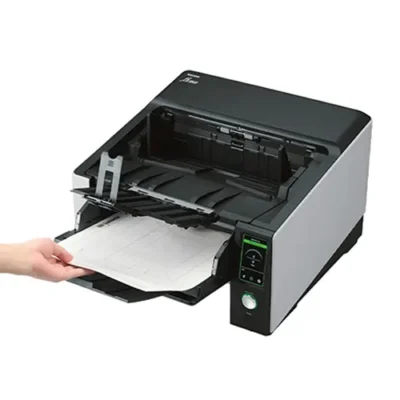
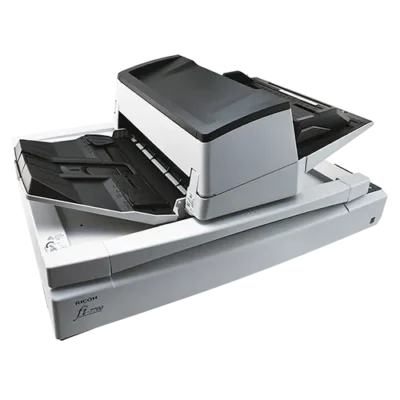
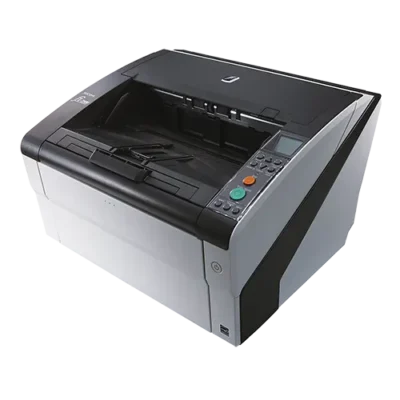
Production Scanners – Streamline High-Volume Document Processing

Production scanners are built for high-volume document capture.

They suit teams that scan all day and need consistent output. Common environments include mailrooms, scanning bureaus, and enterprise departments. These scanners help you keep throughput high and downtime low.

Many production models handle thousands of pages per day with strong reliability. They combine fast feeding with duplex scanning and robust paper handling. High-quality imaging and smart processing also help produce clean, readable results. This reduces rescans and keeps batches moving.

We stock trusted brands including Kodak Alaris, Ricoh, and Canon. Our range covers heavy-duty scanners for back-office processing and specialist digitisation work.

Use them for invoices, contracts, archives, case files, and bulk forms. They’re a strong fit when speed and accuracy matter equally.

Choosing the right production scanner depends on workload and document types. Compare models by speed (ppm/ipm), duty cycle, and paper handling for mixed batches. Look for features like multi-feed detection and image enhancement tools where needed. These features help maintain quality at scale.

Upgrade to a production scanner to streamline large scanning jobs. Improve accuracy, reduce manual handling, and keep files moving through your workflow.

BDM ArcScan – Helping you choose the right production scanner.

Popular for

  • Mailroom scanning and inbound document processing

  • Scanning bureaus and outsourced digitisation projects

  • Accounts teams processing invoices and statements at scale

  • Legal and compliance teams digitising large case files and records

  • Archive and backfile conversion projects with high daily volumes

  • Centralised scanning for multi-department workflows

Ideal for these document types

  • Large batches of invoices, purchase orders, and delivery notes

  • Contracts, reports, and multi-page case files

  • Forms, applications, and HR documents

  • Mixed document bundles with varying sizes and paper weights (model dependent)

  • High-volume archive files and backfile conversion paperwork

Choosing a Production Scanner: The Essentials

  • Duty cycle/recommended daily volume: the key factor for high-use, all-day scanning

  • Speed (ppm/ipm): match throughput to your batch sizes and turnaround targets

  • Paper handling: reliable feeding for mixed sizes, thin paper, and longer documents

  • Multi-feed detection: helps reduce missed pages and improves batch accuracy

  • Duplex scanning: essential for double-sided documents and faster processing

  • Image processing: deskew, blank page removal, and image enhancement to cut rework

  • ADF capacity: larger feeders reduce stops during long runs

  • Workflow integration: scan to folders, email, OCR/searchable PDF, or capture software

Discover our latest range of production scanners below

Production Scanner FAQs

What is a production scanner, and who is it for?

A production scanner is a heavy-duty document scanner designed for high-volume, high-speed scanning. It suits teams that scan large batches every day, such as mailrooms, scanning bureaus, finance departments, and central admin teams. These scanners focus on throughput, accuracy, and long-term reliability.

What’s the difference between a production scanner and a workgroup scanner?

Workgroup scanners suit small to medium teams with regular daily scanning. Production scanners are built for bigger workloads and longer runs. They usually offer higher duty cycles, stronger paper handling, and features that reduce errors in large batches. If scanning is a core process and happens all day, production is often the better fit.

How many pages per day can a production scanner handle?

It depends on the model, but production scanners are designed for thousands of pages per day. The best way to compare is to check the recommended daily volume or duty cycle. That figure helps you choose a scanner that can handle your normal workload with headroom for peak days.

Do production scanners scan double-sided documents (duplex)?

Yes, most production scanners include duplex scanning, which captures both sides of a page in one pass. Duplex reduces handling and speeds up processing for invoices, contracts, and multi-page files. It also helps ensure you capture complete records consistently.

What features help prevent missed pages in large scanning batches?

Look for multi-feed detection and reliable paper handling. These features help identify when pages stick together or feed incorrectly. Strong image processing also helps, such as blank page removal, auto-crop, and deskew. Together, they reduce rescans and improve batch accuracy.

Are production scanners suitable for mixed documents and difficult paper types?

Many production scanners handle mixed batches well, but it depends on the model and how varied your documents are. If you scan thin paper, receipts, long documents, or mixed sizes, prioritise strong paper handling and detection features. Good roller systems and feed controls also make a big difference over time.

Can production scanners create searchable PDFs (OCR)?

Yes. Many production workflows support OCR to create searchable PDFs, and sometimes editable files. Searchable PDFs make retrieval easier across departments, especially for finance, legal, and compliance teams. OCR quality depends on scan clarity and software settings, so consistent capture matters.

What scan speed do we need (ppm/ipm)?

Choose speed based on your batch sizes and turnaround requirements. Higher ppm/ipm helps when you process large volumes daily or need a quick turnaround for inbound mail. Speed matters most when combined with strong feeding and accurate detection, so you don’t trade throughput for errors.

Do production scanners integrate with capture software and existing workflows?

Often, yes. Many production scanners support common business workflows such as scanning to network folders, document management systems, and OCR pipelines (model-dependent). If you already use a capture platform, it’s worth choosing a scanner that fits your workflow and supports the file formats and destinations you need.

Are production scanners a good fit for invoice processing and accounts teams?

Yes. Production scanners are widely used for invoice and statement processing because they reduce manual handling and speed up batch capture. Duplex scanning and OCR help create complete, searchable records. This supports faster filing and easier retrieval during audits and supplier queries.

What maintenance should we expect with a high-volume scanner?

High-volume scanning puts more wear on rollers and feed components, so routine cleaning and occasional consumable replacement are normal. Choosing a scanner built for your workload reduces downtime and keeps performance stable. Good paper preparation also helps, especially for older or mixed documents.

Can you help us choose the right production scanner?

Yes. We can help you match a production scanner to your daily volume, document types, and workflow requirements. Every purchase includes 12 months of TechAssist at no extra cost, with telephone, email and remote access support to help with setup, scan settings, and workflow optimisation.

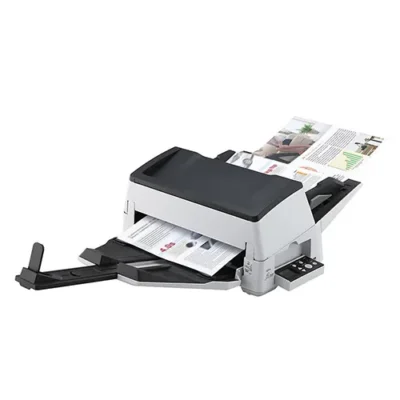
TechAssist - Support made simple and easy by experts

Get 3 months of expert after-sales support FREE with your new purchase from BDM ArcScan.

Get expert help when you need it most with TechAssist — your fast-track to priority support. Our team is ready via email, phone, or remote access to sort out all problems, however big or small. 

Enjoy 3 months absolutely free, with the option to continue for a low monthly cost. Cancel anytime, no strings attached.

We don’t just sell scanners — We match you with the right one

With so many scanners on the market, finding the right one can feel overwhelming.

That’s where we come in—cutting through the noise to understand how you work and what you really need with great advice and recommendations from leading brands you know and trust.

Once you’ve found your perfect fit scanner, we’ll back you up with support that doesn’t disappear after the sale.

Why not outsource your scanning. Simplify your business with us!

Free up time, space, and resources by letting us take care of your document scanning needs.

Whether it’s bulk archive scanning or ongoing paperwork processing, our expert team handles it all securely, efficiently, and with minimal disruption to your day-to-day operations.

Let us handle the scanning, so you can focus on what really matters — streamlined workflows and smarter business operations.

Please Note – Product model images/videos shown may show/include additional options, accessories and/or features available at additional cost. For additional information, please refer to product key features, product specification table and datasheet information. Features, specifications, software, and any additional information provided may be subject to change or revision without notice.

Any automatic processing features and benefits mentioned are intended to aid user experience, but results may vary depending on your usage and the media being scanned. Any errors or inaccuracies with automatic processing features and benefits do not indicate an error with the functionality of the scanner.

Equipment performance, features and capabilities are based on using the equipment’s proprietary included software. The use of the equipment with any third-party software is not guaranteed or implied and guidance should be sought from the third-party software manufacturer or vendor to ensure compatibility with your intended usage. BDM ArcScan does not provide such advice, guidance, or support pre or post-sale.

Equipment features and benefits may vary depending on the operating system version, configuration, and type. As such, differences in functionality and available features may occur. Please refer to the datasheet and specification information of the equipment fully to check if any such differences exist, especially between Windows and Mac operating systems. E&OE.