

Upgrade to a 3-year warranty – for FREE!
Buy a qualifying Epson product and enjoy 3 years of warranty cover at no extra cost. Simply register your eligible product with Epson within 30 days of purchase to activate the extended warranty and enjoy greater peace of mind. Terms and conditions apply.
Find out more here.
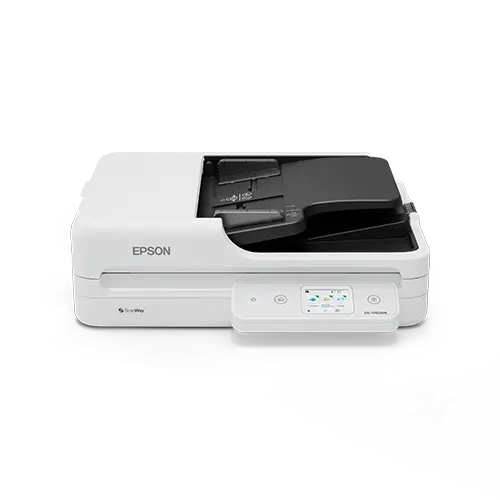
Epson WorkForce DS-1760WN A4 Flatbed Network Scanner with ADF & Wi-Fi
The Epson WorkForce DS-1760WN combines a fast 60-page ADF with A4 flatbed flexibility, making it ideal for shared office scanning. With USB, Wi-Fi, Ethernet & one-touch workflows, it helps workgroups capture & share documents from a single device.
£261.00 (ex. VAT) / £313.20 (inc. VAT)
+ Delivery - £10.00 (ex. VAT)/£12.00 (inc. VAT)
Available on back-order
In stock for fast UK Dispatch
12 months free TechAssist support
1 year product warranty
Epson WorkForce DS-1760WN Overview
Replacing the popular WorkForce DS-1660W, the Epson WorkForce DS-1760WN delivers flexible A4 scanning for shared workspaces.
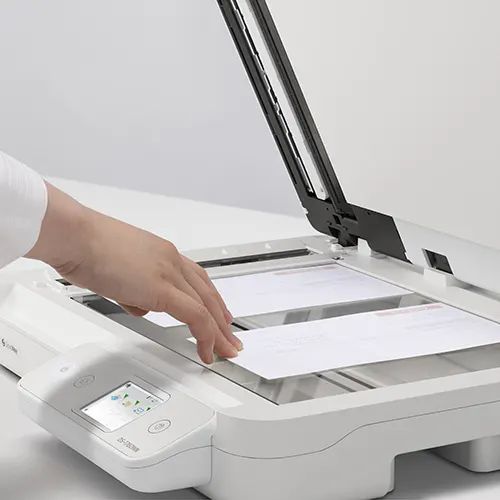
Combining a 60-page ADF with the versatility of an A4 flatbed, it can handle everyday paperwork, books, passports, cards and delicate originals with ease.
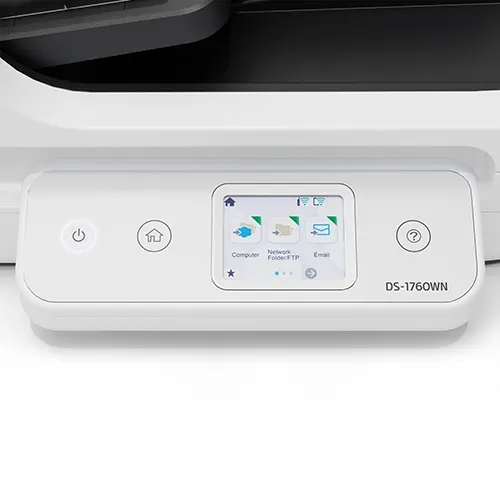
Fast duplex scanning, a 2.4″ colour touchscreen, USB, Wi-Fi and Ethernet connectivity, plus scan-to workflow options, make it a practical choice for busy offices, reception areas and workgroups.
Key Features of the Epson WorkForce DS-1760W
Flexible Scanning with the Epson WorkForce DS-1760WN
Combining a 60-page ADF with the flexibility of an A4 flatbed, the Epson WorkForce DS-1760WN can handle everyday paperwork, books, passports, cards, magazines and delicate originals.
Fast Duplex Document Capture
Scan at speeds of up to 30 pages per minute, or up to 60 images per minute when duplex scanning, helping busy teams process multi-page documents quickly and efficiently.
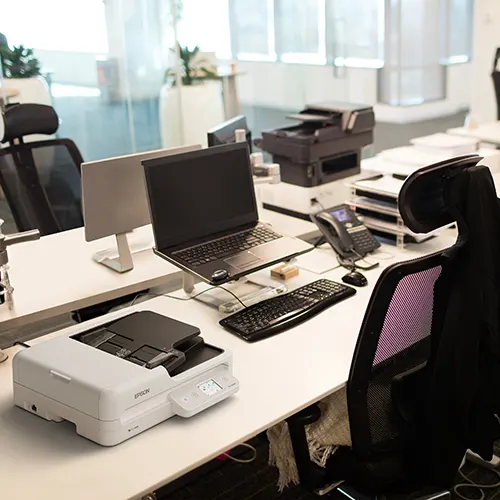
Built for Shared Workgroups
With USB, Wi-Fi and Ethernet connectivity, the Epson WorkForce DS-1760WN is ideal for shared office environments where multiple users need access to reliable document capture from one compact device.
Epson WorkForce DS-1760WN with Easy Touchscreen Operation
The 2.4″ colour touchscreen makes it simple to select scan jobs, access common workflows and send documents to destinations such as folders, email or cloud services.
Smart Image Correction
Auto crop, skew correction and background removal help the Epson WorkForce DS-1760WN produce clean, professional-looking scans with less manual editing, making everyday scanning quicker, clearer and more consistent.
The Epson WorkForce DS-1760WN is best for
shared offices, reception areas, customer-facing teams and admin departments that need a flexible scanner for everyday paperwork, books, passports, cards, delicate originals and scan-to-destination workflows across multiple users.ls.
FAQs
Could the Epson WorkForce DS-1760WN replace separate flatbed and sheet-feed scanners?
Yes. It combines a 60-page ADF for everyday paperwork with an A4 flatbed for books, passports, cards and delicate originals, giving teams more flexibility from one compact device.
Can the Epson WorkForce DS-1760WN be used by multiple people?
Yes. It is well-suited to workgroups, reception areas, customer service teams and admin departments that need one shared scanner for mixed document types, regular paperwork and simple scan-to-destination workflows.
What document types can the Epson WorkForce DS-1760WN handle?
Yes. The Epson WorkForce DS-1760WN can handle everyday paperwork and forms through the ADF, while the A4 flatbed is useful for passports, ID documents, cards and delicate originals that may not be suitable for sheet-feed scanning.
How does it help reduce post-editing?
Yes. Using Epson Document Capture software, the Epson WorkForce DS-1760WN features image correction features such as auto crop, skew correction and background removal, which help improve scans automatically, reducing the need to manually tidy files before saving or sharing them.
Where can users send scanned documents when scanning with the Epson WorkForce DS-1760WN?
Yes. With preset workflows and touchscreen controls, the Epson WorkForce DS-1760WN makes it easy to send scans to destinations such as email, network folders, USB storage and online storage accounts, helping documents reach the right place quickly.
Technical Specification
| Scanner type | ADF scanner with integrated flatbed |
| Max/min document size | A4 (21.0×29.7 cm), A5 (14.8×21.0 cm), A6 (10.5×14.8 cm), B5, B6, Letter, Letter Legal |
| Flatbed scan size | A4 |
| Optical resolution (ADF) | Up to 600 dpi optical |
| Optical resolution (Flatbed) | Up to 1200 dpi optical |
| Sensor type | ADF – Dual CIS/ Flatbed – Single CIS |
| Colour depth | Input: 30 Bits Colour / 10 Bits Monochrome, Output: 24 Bits Colour / 8 Bits Monochrome |
| Scan speed (ADF) | 30 ppm/60 ipm (200/300 dpi) |
| Duplex scanning | Yes (Single pass ADF) |
| ADF capacity | 60-sheets |
| Daily scan duty cycle | 3,000 sheets |
| Paper weight (ADF) | 50 to 120 gsm |
| Multi-feed detection | No |
| Connectivity | USB 2.0, Ethernet and Wi-Fi |
| Power supply | AC mains |
| Included software | Document Capture Pro, Epson Device Admin, Epson Document Capture (Mac only), Epson Scan 2, Epson SmartPanel |
| OCR processing | Yes |
| Supported file formats | BMP, JPEG, TIFF, multi-TIFF, PDF, searchable PDF, secure PDF, PDF/A, PNG |
| Driver support | TWAIN, ISIS, Epson Scan2 (TWAIN), SANE (Linux), WIA (Windows) |
| Supported operating systems | Windows and Mac |
| Dimensions | 425 x 374 x 135 mm (Width x Depth x Height) |
| Weight | 4.94 kg |
| Warranty | 1-year return to base warranty |
For full technical details, please refer to the product datasheet.

TechAssist - We've got you covered
Every hardware purchase from BDM ArcScan now includes 12 months of FREE TechAssist support, worth over £120.00.
TechAssist gives you direct access to our support team for help with setup, troubleshooting and everyday technical questions.
Support is available by email, phone or remote session, so we can guide you through issues quickly and help keep your scanner running smoothly.
Please Note – Product model images/videos shown may show/include additional options, accessories and/or features available at additional cost. For additional information, please refer to product key features, product specification table and datasheet information. Features, specifications, software, and any additional information provided may be subject to change or revision without notice.
Any automatic processing features and benefits mentioned are intended to aid user experience, but results may vary depending on your usage and the media being scanned. Any errors or inaccuracies with automatic processing features and benefits do not indicate an error with the functionality of the scanner.
Equipment performance, features and capabilities are based on using the equipment’s proprietary included software. The use of the equipment with any third-party software is not guaranteed or implied and guidance should be sought from the third-party software manufacturer or vendor to ensure compatibility with your intended usage. BDM ArcScan does not provide such advice, guidance, or support pre or post-sale.
Equipment features and benefits may vary depending on the operating system version, configuration, and type. As such, differences in functionality and available features may occur. Please refer to the datasheet and specification information of the equipment fully to check if any such differences exist, especially between Windows and Mac operating systems. E&OE.