
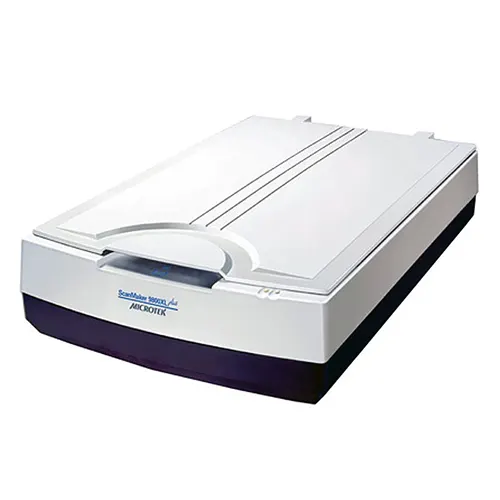
Microtek ScanMaker 9800XL Plus A3 Graphics Flatbed Scanner 1600 x 3200 dpi
The Microtek ScanMaker 9800XL Plus offers 1600 dpi A3 scanning for artwork, documents, and film. With SilverFast editing and optional TMA for transparencies, it’s a versatile, high-quality solution for professionals and home users on Windows or Mac.
+ Delivery - £20.00 (ex. VAT)/£24.00 (inc. VAT)
Available from w/c 15/06/2026
12 months free TechAssist support
1 year product warranty
30-day credit terms available, subject to T&Cs. Please contact us for details.
Microtek ScanMaker 9800XL Plus Overview
The Microtek ScanMaker 9800XL Plus is a professional A3 flatbed scanner designed for graphics, artwork, photographs, documents and large-format originals.
Its 12″ x 17″ scan bed gives users more room than a standard A4 scanner, making it ideal for oversized prints, contact sheets, artwork, plans and archive material.
With 1600 x 3200 dpi optical resolution, CCD scanning and a 3.7 Dmax optical density, the Microtek ScanMaker 9800XL Plus helps captures sharp detail, accurate colour and strong shadow detail.
ScanWizard Pro and optional SilverFast software also provide professional tools for image correction, colour control and high-quality digital output.
Key Features of the Microtek ScanMaker 9800XL Plus
Large A3 scan area
Capture oversized artwork, photographs, documents, plans and archive material with the Microtek ScanMaker 9800XL Plus and its generous 12″ x 17″ scan bed.
1600 x 3200 dpi optical resolution
Produce sharp, detailed digital files for graphics, artwork, records and reproduction work, with the clarity needed for professional scanning projects.
CCD scanning with the Microtek ScanMaker 9800XL Plus
Capture accurate colour, tone and fine detail across photographs, printed originals and larger-format materials using CCD scanning technology.
3.7 Dmax with optional film scanning
A 3.7 Dmax optical density helps retain detail in darker areas of photographs and tonal originals. Choose the Microtek ScanMaker 9800XL Plus model with TMA to add film and transparency scanning, including film holders for supported transparent media.
Professional output from the Microtek ScanMaker 9800XL Plus
ScanWizard Pro comes as standard or upgrade further to the model supplied with SilverFast Ai Studio 9 software, giving a great range of tools for easy editing of originals to improve colour and restore images to their former glory.
The Microtek ScanMaker 9800XL Plus is best for
Creative, archive and office teams that need a reliable A3 flatbed scanner for oversized photographs, artwork, plans, records and printed originals. With its large 12″ x 17″ scan area, CCD capture, 1600 x 3200 dpi optical resolution and professional software, the Microtek ScanMaker 9800XL Plus helps produce clear, colour-accurate digital files for archiving, editing and reproduction.
FAQs
Is the Microtek ScanMaker 9800XL Plus suitable for scanning artwork?
Yes. The Microtek ScanMaker 9800XL Plus is well suited to artwork, photographs, prints and large-format originals, especially where users need a bigger scan area than a standard A4 flatbed.
Can it scan documents larger than A4?
Yes. The Microtek ScanMaker 9800XL Plus’s large 12″ x 17″ scan bed allows users to scan A3-sized documents, plans, records, oversized photographs and printed materials without splitting them across multiple scans.
Can the Microtek ScanMaker 9800XL Plus scan film?
Film and transparency scanning is available on the Microtek ScanMaker 9800XL Plus models supplied with the optional TMA. This version can scan transparent media up to 12″ x 16″, with film holders included for supported formats, making it suitable for users who need both reflective and film scanning.
Is it a good choice for archives or records teams?
Yes. The large flatbed area, CCD capture and professional software make the Microtek ScanMaker 9800XL Plus a strong choice for archive teams digitising records, photographs, documents, plans and other oversized materials.
What software comes with this scanner?
The scanner includes Microtek ScanWizard Pro as standard, providing a wide range of editing tools. There’s also the option to upgrade to models that include SilverFast Ai Studio 9, a professional editing software highly regarded by professionals.
Technical Specification
| Scanner Type | Flatbed Scanner with optional Transparency Media Adapter (TMA) |
| Maximum Scan Size | Reflective: 8.5” x 14” / 216 x 356 mm Transparency: 8” x 10” / 203 x 254 mm |
| Image Sensor | CCD |
| Optical Resolution | 1600 x 3200 dpi |
| Optical Density | 3.7 Dmax |
| Colour Depth | 48-bit colour, 16-bit grayscale,1-bit b&w |
| Scan Speed | TBC |
| Lighting | Tri-wavelength LED |
| Focus Type | Fixed |
| Document Scanning | Yes |
| Film/Transparency Scanning | Yes – with optional TMA models |
| Film holders | Yes – with models equipped with a TMA |
| Connectivity | USB 2.0 |
| Power supply | AC Mains |
| Included software | Microtek ScanWizardTM Pro (PC), Microtek Scanner ICC Profiler (PC), Microtek LAN Wizard (PC), Microtek ScanPotter (Mac), SilverFast Ai Studio 9 (PC/Mac with selected models only) |
| OCR processing | No |
| Supported operating systems | Windows and Mac |
| Dimensions |
Standard model – 627.5 x 375.9 x 129.5 mm With TMA – 627.5 x 375.9 x 180.5 mm (Length x Width x Height) |
| Weight |
Standard model – 12.00 KG With TMA – 16.10 KG |
| Warranty | 1-year return to base warranty |
| What’s in the box | Scanner, USB Lead, Mains Lead, Software, User Guide |
For full technical details, please refer to the product datasheet.

TechAssist - We've got you covered
Every hardware purchase from BDM ArcScan now includes 12 months of FREE TechAssist support, worth over £120.00.
TechAssist gives you direct access to our support team for help with setup, troubleshooting and everyday technical questions.
Support is available by email, phone or remote session, so we can guide you through issues quickly and help keep your scanner running smoothly.
Please Note – Product model images/videos shown may show/include additional options, accessories and/or features available at additional cost. For additional information, please refer to product key features, product specification table and datasheet information. Features, specifications, software, and any additional information provided may be subject to change or revision without notice.
Any automatic processing features and benefits mentioned are intended to aid user experience, but results may vary depending on your usage and the media being scanned. Any errors or inaccuracies with automatic processing features and benefits do not indicate an error with the functionality of the scanner.
Equipment performance, features and capabilities are based on using the equipment’s proprietary included software. The use of the equipment with any third-party software is not guaranteed or implied and guidance should be sought from the third-party software manufacturer or vendor to ensure compatibility with your intended usage. BDM ArcScan does not provide such advice, guidance, or support pre or post-sale.
Equipment features and benefits may vary depending on the operating system version, configuration, and type. As such, differences in functionality and available features may occur. Please refer to the datasheet and specification information of the equipment fully to check if any such differences exist, especially between Windows and Mac operating systems. E&OE.