

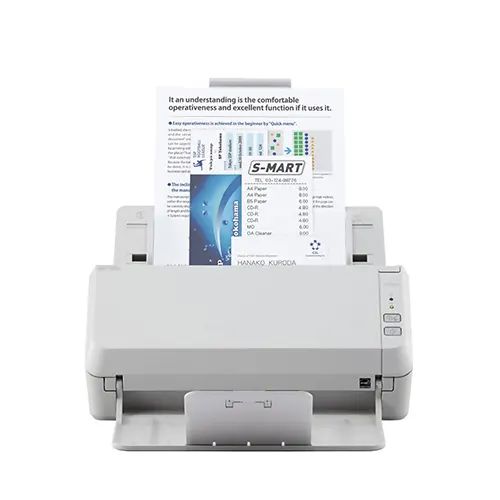
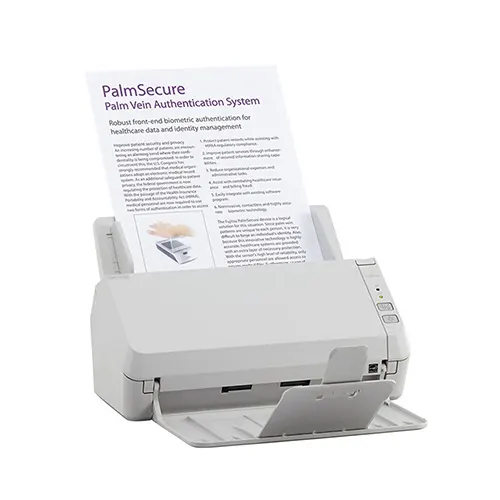
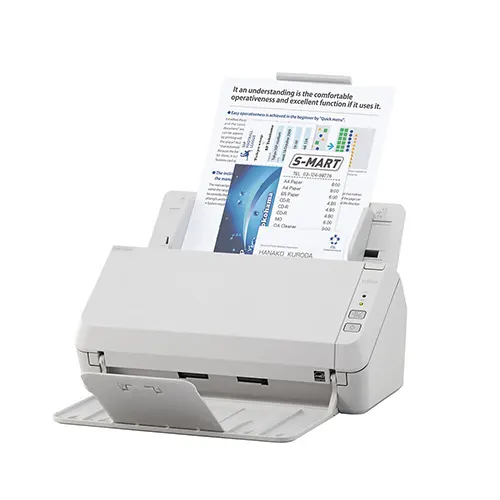
Ricoh SP-1125N 25 ppm A4 Desktop ADF Network Scanner
The Ricoh SP-1125N is a compact A4 network document scanner for small teams and everyday office scanning. With USB and Ethernet connectivity, duplex scanning and a 50-sheet ADF, it helps turn invoices, forms and business records into digital files quickly.
£205.00 (ex. VAT) / £246.00 (inc. VAT)
+ Delivery - £10.00 (ex. VAT)/£12.00 (inc. VAT)
Ricoh SP-1125N Overview
The Ricoh SP-1125N gives budget-conscious organisations a practical way to digitise everyday paperwork. It is designed for regular office document capture, making it a strong choice for teams that need dependable scanning without the complexity of a larger production scanner.
PaperStream software helps improve scan quality, simplify capture tasks and support smoother document processing. With TWAIN and ISIS driver support, the SP-1125N can also fit into existing document management systems and everyday business workflows.
Key Features of the Ricoh SP-1125N
Fast, everyday scanning with Ricoh SP-1125N
Scan up to 25 pages per minute, or up to 50 images per minute in duplex mode, helping teams process regular batches of paperwork more efficiently.
50-sheet automatic document feeder
Load multiple pages at once and let the Ricoh SP-1125N handle office documents such as invoices, forms, letters and records.
PaperStream Capture software included
PaperStream Capture and PaperStream IP help clean up scans, improve OCR accuracy and simplify scan-to-folder workflows.
Ricoh SP-1125N with USB and Ethernet connectivity
Connect directly to a workstation with USB 3.2 or share the Ricoh SP-1125N across a network using Ethernet.
TWAIN and ISIS driver support
Integrate the Ricoh SP-1125N with compatible capture software and document management systems.
The Ricoh SP-1125N is best for
Everyday office scanning, including invoices, forms, letters and business records. With its ADF, duplex scanning and USB/Ethernet connectivity, it helps small teams turn regular paperwork into digital files quickly and easily.
FAQs
Is this a good scanner for office document scanning?
Yes. The Ricoh SP-1125N is designed for everyday office scanning, with a 50-sheet automatic document feeder and scan speeds of up to 25 pages per minute or 50 images per minute in duplex mode. It works well for digitising forms, invoices, letters and general business paperwork.
Does this scanner support USB and Ethernet connectivity?
Yes. The Ricoh SP-1125N supports USB 3.2 and wired network connectivity, giving you flexible options for local desktop use or shared office workflows.
Can the Ricoh SP-1125N scan both sides of a document?
Yes, this scanner supports duplex scanning, so it can capture both sides of a document in one pass. This helps speed up scanning and reduces manual handling when processing double-sided paperwork.
What software is included with the scanner?
The SP-1125N works with PaperStream IP and PaperStream Capture to help improve scanned images and automate capture workflows. It also supports TWAIN and ISIS drivers, which help users integrate scanning into existing document systems.
What is PaperStream Capture?
PaperStream Capture is scanning software included with the Ricoh SP-1125N. It helps users scan, check and save documents with fewer manual steps. You can create scan profiles for common tasks, improve scanned image quality and send files to the right location more easily.
Technical Specification
| Scanner Type | ADF (automatic document feeder) |
| Max/Min Document Size | A4 portrait to A8 portrait/landscape |
| Optical Resolution | Up to 600 dpi optical |
| Sensor Type | Dual CMOS-CIS |
| Colour Depth | Colour: 24 bit, Greyscale: 8 bit, Mono: 1 bit |
| Scan Speed | Simplex: 25 ppm (200/300 dpi) Duplex: 50 ipm (200/300 dpi) |
| Duplex Scanning | Yes |
| ADF Capacity | 50-sheets |
| Daily Scan Duty Cycle | 4,000 sheets |
| Paper Weight | 50 to 209 gsm |
| Multi-Feed Detection | Yes |
| Connectivity | USB 3.2 and Ethernet |
| Power supply | AC Adapter |
| Included Software | PaperStream Capture, PaperStream IP Driver, PaperStream IPNet, ABBYY FineReader software and SP Series Online Update |
| OCR processing | Yes |
| Driver support | TWAIN and ISIS |
| Supported operating systems | Windows, Mac and Linux |
| Dimensions | 298 x 135 x 133 mm (Width x Depth x Height) |
| Weight | 2.5 kg |
| Warranty | 1 Year Standard Warranty with Next Business Day Advance Exchange |
| What’s in the box? | USB cable, AC adapter, Setup DVD, User guide |
For full technical details, please refer to the product datasheet.
Only logged in customers who have purchased this product may leave a review.

TechAssist - We've got you covered
Every hardware purchase from BDM ArcScan now includes 12 months of FREE TechAssist support, worth over £120.00.
TechAssist gives you direct access to our support team for help with setup, troubleshooting and everyday technical questions.
Support is available by email, phone or remote session, so we can guide you through issues quickly and help keep your scanner running smoothly.
You may also like…
-

Ricoh SP-1120N 20 ppm A4 Desktop ADF Network Scanner
£194.17 (ex. VAT) / £233.00 (inc. VAT) -

Ricoh SP-1425 A4 25 ppm ADF Desktop Scanner with Integrated Flatbed
£235.00 (ex. VAT) / £282.00 (inc. VAT) -

Ricoh SP-1130N 30 ppm A4 Desktop ADF Network Scanner
£239.00 (ex. VAT) / £286.80 (inc. VAT) -
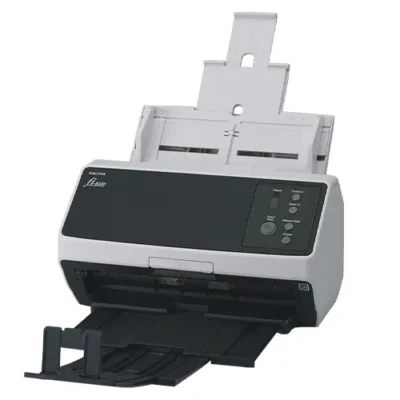
Ricoh fi-8150 50 ppm A4 Desktop ADF Document Scanner
£428.00 (ex. VAT) / £513.60 (inc. VAT)
Please Note – Product model images/videos shown may show/include additional options, accessories and/or features available at additional cost. For additional information, please refer to product key features, product specification table and datasheet information. Features, specifications, software, and any additional information provided may be subject to change or revision without notice.
Any automatic processing features and benefits mentioned are intended to aid user experience, but results may vary depending on your usage and the media being scanned. Any errors or inaccuracies with automatic processing features and benefits do not indicate an error with the functionality of the scanner.
Equipment performance, features and capabilities are based on using the equipment’s proprietary included software. The use of the equipment with any third-party software is not guaranteed or implied and guidance should be sought from the third-party software manufacturer or vendor to ensure compatibility with your intended usage. BDM ArcScan does not provide such advice, guidance, or support pre or post-sale.
Equipment features and benefits may vary depending on the operating system version, configuration, and type. As such, differences in functionality and available features may occur. Please refer to the datasheet and specification information of the equipment fully to check if any such differences exist, especially between Windows and Mac operating systems. E&OE.
Reviews