
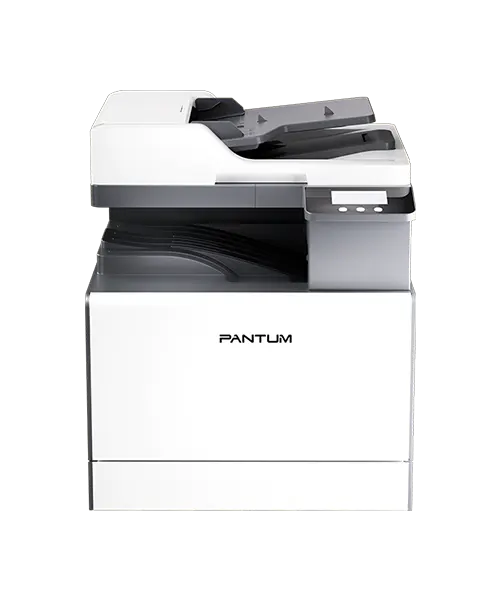
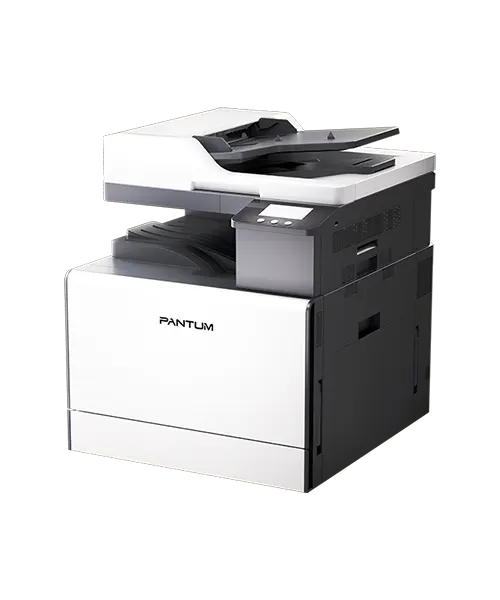
Pantum CM230ADW 25ppm A3 Wireless Colour Multifunction Printer
£1,149.17 (ex. VAT) / £1,379.00 (inc. VAT)
FREE standard UK delivery
In stock for fast UK Dispatch
12 months free TechAssist support
1 year product warranty
Pantum CM230ADW Overview
Designed for flexible A3 colour workflows, the Pantum CM230ADW combines print, copy and scan functionality with wireless connectivity, automatic duplex printing and RADF document handling.
Ideal for busy offices, schools and workgroups, the Pantum CM230ADW supports everyday documents, reports, presentations and larger-format paperwork.
Its Wi-Fi, network and USB connectivity make it easy to place within different office setups, while up to 25ppm output helps teams work efficiently.
Key Features of the Pantum CM230ADW
A3 Colour Printing with the Pantum CM230ADW
Create everyday office documents, reports, marketing materials and larger-format paperwork with affordable A3 colour and mono output at speeds of up to 25ppm.
Print, Copy and Scan in One Device
The Pantum CM230ADW supports daily document workflows with multifunction performance, helping reduce the need for separate office machines.
Automatic Duplex Printing and Scanning
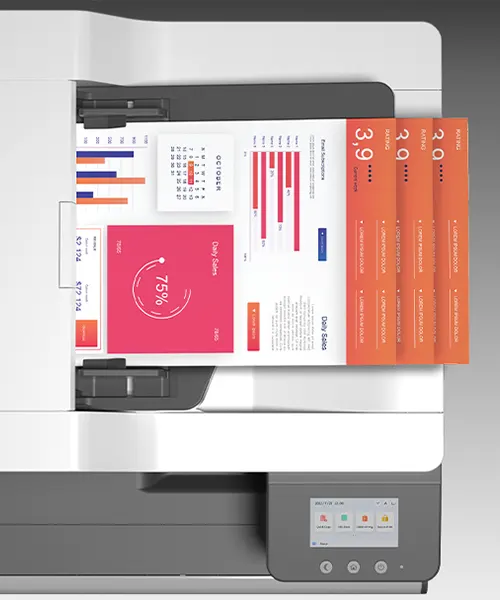
Produce professional double-sided documents more efficiently, while helping reduce paper use across everyday office printing. The 100-sheet RADF can also scan both sides of the page, helping to make copying and scanning documents quicker and easier.
Wi-Fi and Network Printing with the Pantum CM230ADW
Connect the CM230ADW using Wi-Fi, Ethernet or USB for a flexible office setup and easy shared access across teams and workgroups for both printing and scanning
Long-Lasting Consumables for Lower Running Costs
High-yield consumables help keep the Pantum CM230ADW printing for longer while supporting more cost-effective output. This makes it a practical choice for busy office environments that need reliable performance without unnecessary compromise.
The Pantum CM230ADW is best for
Busy offices, schools and workgroups that need affordable A3 colour printing, copying and scanning with flexible wireless connectivity. With Wi-Fi, Ethernet and USB options, automatic duplex printing, RADF document handling and up to 25ppm output, the Pantum CM230ADW is ideal for teams that need practical colour document workflows without unnecessary complexity.
AAFAQs
Is the Pantum CM230ADW a good choice for a small office?
Yes, it is well suited to small and medium-sized offices that need colour printing, copying and scanning in one device, with the added flexibility of A3 output, up to 25ppm print speeds and 100-sheet RADF for more efficient double-sided document handling.
Who should choose this model over a print-only device?
The Pantum CM230ADW is a better choice if your team needs to copy or scan documents as well as print. It helps reduce the need for separate devices and keeps everyday document tasks in one place.
Does the Pantum CM230ADW support A3 printing?
Yes, this model supports colour A3 printing, but at a really affordable price point. It makes printing larger-format documents such as plans, spreadsheets, posters, reports and visual materials much easier.
Can the Pantum CM230ADW Be Shared Wirelessly?
Yes, Wi-Fi and network connectivity allow the Pantum CM230ADW to be set up for shared office use, making it easier for teams and workgroups to access the printer from different devices and locations.
Can I add extra paper trays to the Pantum CM230ADW?
Yes, the Pantum CM230ADW supports up to two optional 550-sheet paper trays, helping increase paper capacity for busier print environments. This can reduce the need for frequent refills and make the printer more practical for teams with regular or higher-volume print demands.
Can I buy the Pantum CM230ADW with or without a service contract?
Yes, BDM ArcScan can supply this model with or without a service contract, helping you choose the right level of support for your business. Simply buy toners as and when required, or everything is covered under a low-cost per-page service contract.
Technical Specification
| Product type | A3 Colour Multifunction Printer |
| Functions | Print Scan Copy |
| Print technology | Colour Laser |
| Print size | Up to A3 |
| Print speed | 25 ppm single-sided/18 ppm double-sided |
| Print resolution | TBC |
| First page out time | Mono 7 seconds/Colour 9.4 seconds |
| Duplex printing | Yes |
| Duplex scanning | Yes – reverse feed ADF |
| ADF capacity | 100-sheets |
| Scan speed | 30 ppm (A4, 300 dpi, single-sided) |
| Main paper tray capacity | 1 x 250 sheets – 60-120 gsm |
| Multipurpose input tray | 1 x 100 sheets – 60-200 gsm |
| Monthly duty cycle | 4,000 pages |
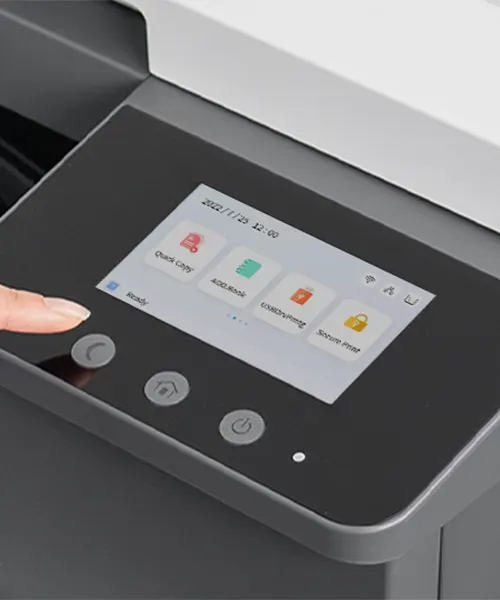
| Control panel/display type | 4.3″ colour touchscreen |
| Connectivity | USB 3.0, Ethernet and Wi-Fi |
| Toner cartridges included |
Starter toners – CTL-2300K:3,000 pages, |
| Optional toner cartridges |
Standard capacity High-capacity |
| Other consumables |
Drum Units Waste Toner Bottle |
| Supported operating systems | Windows, Mac and Linux |
| Dimensions | 565 x 630 x 650 mm (Width x Depth x Height) – unit only with ADF |
| Weight | 58.5 kg – unit only |
| Warranty | 1-year return to base warranty |
| Optional Items | CPT-230:550 page paper tray (Max 2) CPC-230:Floor cabinet |
For full technical details, please refer to the product datasheet.
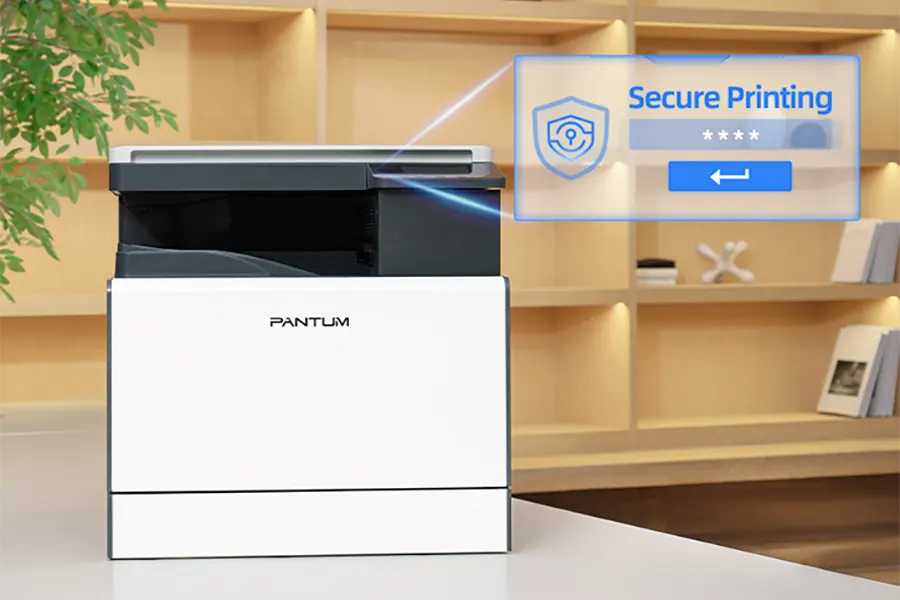
Secure Documents with Confidential Printing
Protect sensitive information with secure printing on the Pantum CM230ADN, helping reduce the risk of confidential documents being left unattended or accessed by the wrong person.
This is especially useful for businesses handling private paperwork, financial documents, or other sensitive data in shared office environments.
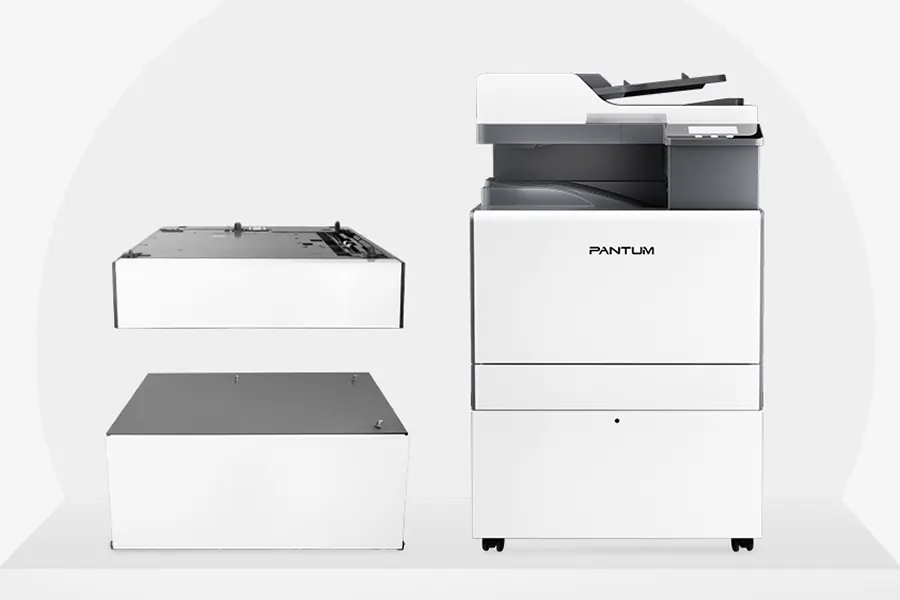
Expand Your Pantum Print Setup
Enhance your Pantum CDM230ADW printer with additional accessories. The CPT-230 adds another 250-sheet paper tray for increased productivity while the CPC-230 adds a handy storage cupboard mounted on wheels for easy mobility.
These great add-ons help busy offices stay organised, reduce refilling and keep everyday print workflows running smoothly.
Only logged in customers who have purchased this product may leave a review.

TechAssist - We've got you covered
Every hardware purchase from BDM ArcScan now includes 12 months of FREE TechAssist support, worth over £120.00.
TechAssist gives you direct access to our support team for help with setup, troubleshooting and everyday technical questions.
Support is available by email, phone or remote session, so we can guide you through issues quickly and help keep your scanner running smoothly.
You may also like…
-

Pantum CTL-2300 Standard Yield Toner Cartridges
£31.20 - £40.20 (ex. VAT) / £31.20 - £40.20 (inc. VAT) -

Pantum CWT-2300 Waste Toner Bin
£30.00 (ex. VAT) / £36.00 (inc. VAT) -

Pantum CTL-2300H High Yield Toner Cartridges
£66.00 - £98.40 (ex. VAT) / £66.00 - £98.40 (inc. VAT) -

Pantum CDL-2300 Drum Units
£151.20 - £151.20 (ex. VAT) / £151.20 - £151.20 (inc. VAT) -

Pantum CPC-230 Paper Cabinet
£145.00 (ex. VAT) / £174.00 (inc. VAT) -
Pantum CPT-230 Single Feed Paper Tray
£274.00 (ex. VAT) / £328.80 (inc. VAT)
Please Note – Product model images/videos shown may show/include additional options, accessories and/or features available at additional cost. For additional information, please refer to product key features, product specification table and datasheet information. Features, specifications, software, and any additional information provided may be subject to change or revision without notice.
Any automatic processing features and benefits mentioned are intended to aid user experience, but results may vary depending on your usage and the media being scanned. Any errors or inaccuracies with automatic processing features and benefits do not indicate an error with the functionality of the scanner.
Equipment performance, features and capabilities are based on using the equipment’s proprietary included software. The use of the equipment with any third-party software is not guaranteed or implied and guidance should be sought from the third-party software manufacturer or vendor to ensure compatibility with your intended usage. BDM ArcScan does not provide such advice, guidance, or support pre or post-sale.
Equipment features and benefits may vary depending on the operating system version, configuration, and type. As such, differences in functionality and available features may occur. Please refer to the datasheet and specification information of the equipment fully to check if any such differences exist, especially between Windows and Mac operating systems. E&OE.
Reviews