


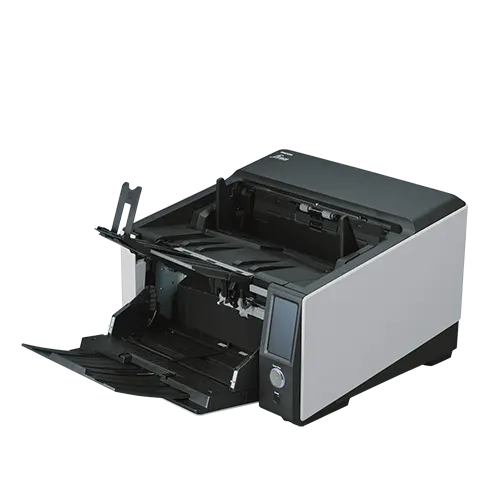

Ricoh fi-8950 150ppm Mid-Volume A3 Network Production Scanner
The Ricoh fi-8950 offers high-speed, budget-friendly production scanning with 750-sheet ADF, 150ppm speed, and USB 3.2/LAN connectivity. Easy maintenance, advanced paper protection, and intelligent feed handling ensure reliable, continuous scanning.
£10,961.30 (ex. VAT) / £13,153.56 (inc. VAT)
+ Delivery - £10.00 (ex. VAT)/£12.00 (inc. VAT)
Out of stock
Enhanced 1 year onsite product warranty
Ricoh fi-8950 Overview
Designed for demanding document capture environments, the Ricoh fi-8950 is a high-speed A3 production scanner with a high-capacity 750-sheet ADF, 150ppm scanning and A8 to A3 document support.
It is well-suited to centralised scanning teams, service bureaus, records departments and back-office operations.
With duplex capture, advanced paper handling and PaperStream software, the Ricoh fi-8950 helps teams process large mixed batches quickly while creating clean, OCR-ready files for archiving, sharing and document management
Key Features of the Ricoh fi-8950
150ppm scanning for demanding workloads
The Ricoh fi-8950 delivers production scanning at up to 150 pages per minute, helping high-volume teams process large daily workloads with fewer bottlenecks.
Ricoh fi-8950 with 750-sheet batch capacity
A 750-sheet automatic document feeder supports long scanning runs, reducing reloading during service bureau, records and back-office digitisation work. With a daily duty cycle of up to 130,000 sheets, it is built for intensive scanning environments.
Large-volume A3 document capture
Handle varied business records with the Ricoh fi-8950 from small documents through to A3 sheets. This gives teams the flexibility to process forms, files, invoices, reports and archive material in one workflow to improve productivity.
Intelligent feeding for mixed paperwork
Advanced feeding and paper protection technologies built into the Ricoh fi-8950 help keep complex batches moving smoothly, reducing interruptions when scanning mixed sizes, weights and document types.
Discover PaperStream Capture software included with the Ricoh fi-8950
PaperStream Capture and PaperStream IP help turn high-volume batches into cleaner, OCR-ready files, while the Ricoh fi-8950 also features USB 3.2 and Ethernet connectivity, supporting both direct workstation and networked scanning setups.
The Ricoh fi-8950 is best for
Organisations where scanning is a core daily process, not an occasional admin task. The Ricoh fi-8950 suits service bureaus, records teams and high-volume departments that need to keep large document workflows moving reliably, with the speed, capacity and connectivity to support busy production environments.
FAQs
Is the Ricoh fi-8950 right for a dedicated scanning team?
Yes. The Ricoh fi-8950 is designed for teams where scanning is a daily operational task, not occasional admin. It suits departments that need consistent throughput, reliable feeding and a workflow that can support large document volumes throughout the day.
How does the Ricoh fi-8950 help reduce scanning delays?
It helps reduce delays by combining high-capacity batch loading with dependable feeding and production workflow tools. This means teams spend less time stopping, reloading, correcting feed issues, or manually preparing files after scanning.
Can different users share the Ricoh fi-8950?
Yes. With USB and Ethernet connectivity, the Ricoh fi-8950 can support both direct workstation use and networked scanning setups, making it suitable for shared production environments and centralised scan teams.
What kind of documents is it best suited to?
The Ricoh fi-8950 is best suited to business-critical paperwork such as records, forms, invoices, case files, reports, application packs and archive documents. Its A3 and long document support also make it useful for capturing larger paperwork, extended forms and long-format documents alongside standard office paperwork.
Is the fi-8950 more suited to production scanning than office scanning?
Yes. The fi-8950 is built for higher-volume, more structured scanning environments where speed, uptime and workflow consistency matter. For occasional desktop scanning, a smaller office scanner may be more appropriate, with Ricoh offering a great range of desktop models to suit all requirements.
What software comes with the Ricoh fi-8950?
PaperStream Capture and PaperStream IP software help improve scan quality, prepare files for OCR and route documents into storage, sharing or document management systems. This helps turn large volumes of paperwork into organised digital files.
Technical Specification
| Scanner Type | Mid-Volume Production ADF (automatic document feeder) |
| Max/Min Document Size | A3, A4, A5, A6, B5, B6, Business Card, Post Card, Letter, Double Letter, Legal and Custom Size |
| Optical Resolution | Up to 600 dpi optical |
| Scanning modes |
Colour, Greyscale, Monochrome, Automatic (Colour / Greyscale / Monochrome detection)
|
| Sensor Type | Dual CIS |
| Colour Depth | Colour: 24 bit, Greyscale: 8 bit, Mono: 1 bit |
| Scan Speed | Simplex: 150 ppm (200/300 dpi) Duplex: 300 ipm (200/300 dpi) |
| Duplex Scanning | Yes |
| ADF Capacity | 750-sheets |
| Daily Scan Duty Cycle | 130,000 sheets |
| Paper Weight | U-turn: 20-256 g/m² Straight: 20-570 g/m² Envelope: ~1.25 mm |
| Multi-Feed Detection |
Yes – Ultrasonic multi-feed detection sensor x 3
|
| Connectivity | USB 3.1/Ethernet |
| Power supply | AC Mains |
| Interface | 4.3″ TFT Touchscreen LCD |
| Included Software | PaperStream Capture, PaperStream ClickScan, PaperStream ClickScan Searchable PDF Option, Software Operation Panel, Error Recovery Guide, Scanner Central Admin Agent, Network Setup Tool and fi Series Online Update |
| Software features | Auto colour detection, auto rotation, blank page detection, cropping, de-skew, de-screen, threshold controls, dropout colour, sRGB output, hole punch removal, edge correction, long-page division, split image, index tab cropping, character extraction, background pattern removal, image enhancement and vertical streak reduction |
| OCR processing | Yes |
| Supported File Formats |
PDF, Searchable PDF, PDF / A, TIFF, Multi-Page TIFF, Bitmap, JPEG, JPEG2000
|
| Driver Support | TWAIN and ISIS |
| Supported operating systems | Windows OS only |
| Dimensions | 315 x 460 x 430 mm (Height x Width x Depth) |
| Weight | 23 kg |
| Warranty | Onsite Repair: Next business day response, 1 preventative maintenance visit, spare parts, labour and travel included. |
| What’s in the box? | Scanner, fitted pick roller, brake roller and separation roller, UK/EU power cords, Setup DVD, 2m USB 3.0 cable, Getting Started Guide, Quick Installation Sheet, Safety Precautions Sheet and Warranty Sheet |
For full technical details, please refer to the product datasheet.
Only logged in customers who have purchased this product may leave a review.

TechAssist - We've got you covered
Every hardware purchase from BDM ArcScan now includes 12 months of FREE TechAssist support, worth over £120.00.
TechAssist gives you direct access to our support team for help with setup, troubleshooting and everyday technical questions.
Support is available by email, phone or remote session, so we can guide you through issues quickly and help keep your scanner running smoothly.
You may also like…
-
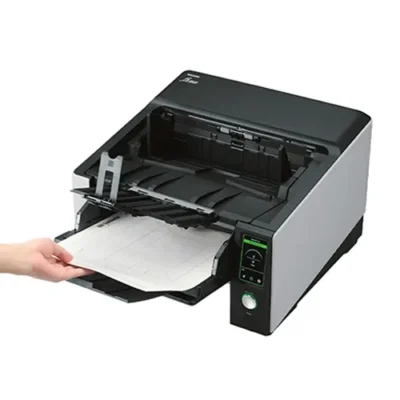
Ricoh fi-8820 120ppm Mid-Volume A3 Network Production Scanner
£4,050.00 (ex. VAT) / £4,860.00 (inc. VAT) -
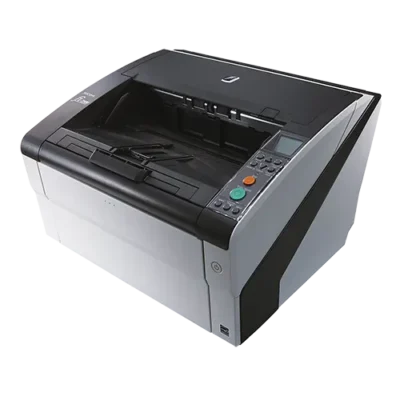
Ricoh fi-7800 110ppm Mid-Volume A3 Production Scanner
£5,450.00 (ex. VAT) / £6,540.00 (inc. VAT) -
Ricoh fi-8930 130ppm Mid-Volume A3 Network Production Scanner
£6,475.00 (ex. VAT) / £7,770.00 (inc. VAT) -
Ricoh fi-7900 140ppm Mid-Volume A3 Production Scanner
£9,500.00 (ex. VAT) / £11,400.00 (inc. VAT)
Please Note – Product model images/videos shown may show/include additional options, accessories and/or features available at additional cost. For additional information, please refer to product key features, product specification table and datasheet information. Features, specifications, software, and any additional information provided may be subject to change or revision without notice.
Any automatic processing features and benefits mentioned are intended to aid user experience, but results may vary depending on your usage and the media being scanned. Any errors or inaccuracies with automatic processing features and benefits do not indicate an error with the functionality of the scanner.
Equipment performance, features and capabilities are based on using the equipment’s proprietary included software. The use of the equipment with any third-party software is not guaranteed or implied and guidance should be sought from the third-party software manufacturer or vendor to ensure compatibility with your intended usage. BDM ArcScan does not provide such advice, guidance, or support pre or post-sale.
Equipment features and benefits may vary depending on the operating system version, configuration, and type. As such, differences in functionality and available features may occur. Please refer to the datasheet and specification information of the equipment fully to check if any such differences exist, especially between Windows and Mac operating systems. E&OE.



Reviews