
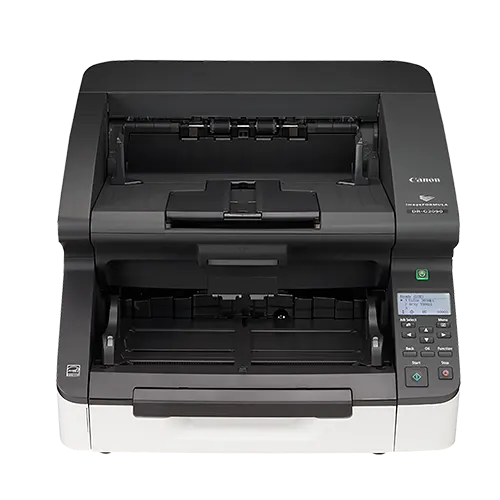
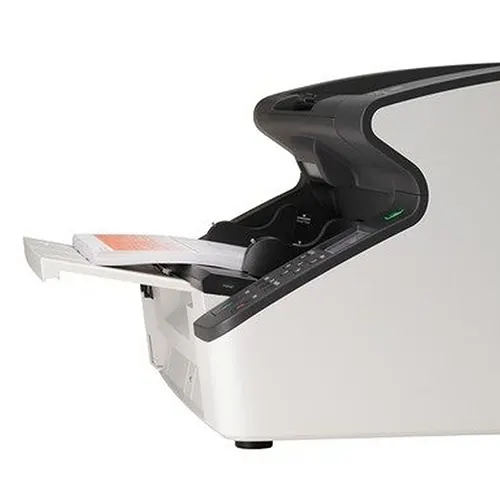
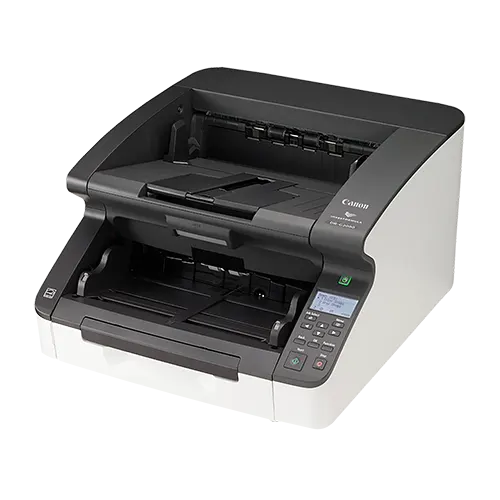

Canon imageFORMULA DR-G2140 145ppm A3 Production Scanner
Discover the Canon imageFORMULA DR-G2140 A3 Production Scanner. Super fast 145ppm duplex scanning, a large 500-sheet feeder and reliable performance for high-volume document scanning.
£7,185.29 (ex. VAT) / £8,622.35 (inc. VAT)
+ Delivery - £10.00 (ex. VAT)/£12.00 (inc. VAT)
Only 1 left in stock
Canon imageFORMULA DR-G2140 Overview
The Canon imageFORMULA DR-G2140 A3 Production Scanner is a powerful, high-performance scanning solution designed for demanding document capture environments.
Delivering speeds of up to 145 pages per minute (290 images per minute), it combines exceptional productivity with a large 500-sheet automatic document feeder for efficient, high-volume batch scanning.
Built for reliability and continuous operation, the Canon imageFORMULA DR-G2140 features advanced paper handling, intelligent image processing and ultrasonic double-feed detection to minimise interruptions and ensure consistent results.
Ideal for scanning bureaus, archives and busy departments, it offers professional-quality document digitisation, helping businesses streamline workflows and manage large volumes of paperwork with confidence.
Key Features of the Canon imageFORMULA DR-G2140
Super High-Speed A3 Production Scanning
The Canon imageFORMULA DR-G2140 delivers scanning speeds of up to 145 pages per minute (290 images per minute), capturing both sides of a document in a single pass. Designed for demanding production environments, it helps process large volumes of paperwork quickly and efficiently.
Canon imageFORMULA DR-G2140 with High-Capacity 500-Sheet Feeder
Featuring a generous 500-sheet automatic document feeder (ADF), the imageFORMULA DR-G2140 enables efficient batch scanning with minimal manual intervention. Ideal for processing large document collections, reducing preparation time and improving productivity.
Advanced Paper Handling and Feed Reliability
The Canon imageFORMULA DR-G2140 features a heavy-duty feeding mechanism with ultrasonic double-feed detection and a Double Feed Retry function. These technologies help reduce feeding errors, prevent missed pages and maintain smooth operation when processing demanding workloads.
Intelligent Image Processing for Professional Results
Advanced image processing features, including automatic colour detection, deskew, text enhancement and blank page removal, help produce clear, consistent digital documents. The Canon imageFORMULA DR-G2140 also supports OCR workflows, making scanned information easier to organise and retrieve.
Built for Demanding High-Volume Workloads
Engineered for intensive document scanning, the Canon imageFORMULA DR-G2410 supports a recommended daily scanning volume of up to 70,000 sheets. Its robust construction and versatile A3 document handling make it an excellent choice for scanning bureaus, archives and busy document processing departments.
The Canon imageFORMULA DR-G2140 is best for
High-volume scanning bureaus, document management companies, archives and busy corporate departments requiring fast, reliable A3 document digitisation. Ideal for large-scale scanning projects, bulk document processing and demanding production workflows.
FAQs
What types of documents can the Canon imageFORMULA DR-G2140 scan?
The imageFORMULA DR-G2140 supports a wide range of documents, including A3 and A4 paperwork, contracts, invoices, forms and mixed-size batches. Its versatile paper handling accommodates different document sizes and weights, making it suitable for demanding business scanning requirements.
Can the DR-G2140 scan mixed document sizes in a single batch?
Designed for efficient batch processing, the Canon imageFORMULA DR-G2140 can handle mixed-size documents without requiring every page to be sorted beforehand. Automatic page size detection helps capture each document correctly, reducing preparation time and manual adjustments.
Is the imageFORMULA DR-G2140 compatible with third-party scanning software?
The Canon imageFORMULA DR-G2140 supports industry-standard TWAIN and ISIS drivers for Windows, allowing integration with compatible document management systems, capture applications and specialist scanning software. This provides flexibility for businesses using established document processing workflows.
How does the Canon imageFORMULA DR-G2140 prevent missed pages during scanning?
Ultrasonic double-feed detection identifies when multiple sheets are fed together, while the Double Feed Retry function can automatically attempt to separate and refeed documents. These features help minimise scanning interruptions and reduce the risk of missing pages during large scanning jobs.
What maintenance does the Canon imageFORMULA DR-G2140 require?
Regular cleaning of the scanning glass, feed rollers and paper path helps maintain consistent image quality and reliable document feeding. Consumable rollers also require periodic replacement, depending on usage. Following Canon’s recommended maintenance procedures helps reduce downtime and maintain performance in demanding scanning environments.
Technical Specification
| Scanner Type | Production ADF (automatic document feeder) |
| Max/Min Document Size | From 50.8 up to 305 mm |
| Max and Min Document Length | From 70 up to 432 mm |
| Optical Resolution | Up to 600 dpi |
| Sensor Type | Dual CIS |
| Colour Depth | Colour: 24 bit, Greyscale: 8 bit, Mono: 1 bit |
| Scan Speed | Simplex: 145ppm (200/300dpi) Duplex: 290ipm (200/300dpi) |
| Duplex Scanning | Yes |
| ADF Capacity | 500-sheets |
| Daily Scan Duty Cycle | From 70,000 scans |
| Paper Weight |
Continuous Feeding: 20 – 209 gsm Non-Separation Mode: 20 – 255 gsm |
| Multi-Feed Detection | Yes |
| Connectivity | USB 3.1/Ethernet |
| Power supply | AC 220 – 240V (50/60Hz) |
| Included Software | Canon CaptureOnTouch Pro, Kofax VRS Driver and Canon Driver Setting Tool |
| Software features | Barcode and 2D code recognition, patch code detection, ultrasonic double-feed and staple detection, automatic page size detection, blank page removal, deskew, image rotation, colour and contrast correction, text enhancement, background smoothing, bleed-through reduction, punch hole removal, Folio Mode, MultiStream scanning and rapid error recovery |
| Driver support | TWAIN (32/64-bit), ISIS and WIA (Windows) |
| Supported operating systems | Windows only |
| Dimensions | Tray Closed: 480 x 569 x 315 mm Tray Open : 480 x 723 x 390 mm(Width x Depth x Height) |
| Weight | 25.00 kg |
| Warranty | 1 Year Standard Warranty |
| What’s in the box? | Scanner, USB Cable, Power Cable, Setup Disc, Setup Guide and Cleaning Cloth |
For full technical details, please refer to the product datasheet.
Only logged in customers who have purchased this product may leave a review.

TechAssist - We've got you covered
Every hardware purchase from BDM ArcScan now includes 12 months of FREE TechAssist support, worth over £120.00.
TechAssist gives you direct access to our support team for help with setup, troubleshooting and everyday technical questions.
Support is available by email, phone or remote session, so we can guide you through issues quickly and help keep your scanner running smoothly.
You may also like…
-

Ricoh SP-1120N 20 ppm A4 Desktop ADF Network Scanner
£194.17 (ex. VAT) / £233.00 (inc. VAT) -

Ricoh SP-1125N 25 ppm A4 Desktop ADF Network Scanner
£205.00 (ex. VAT) / £246.00 (inc. VAT) -
Sale!

Ricoh SP-1425 A4 25 ppm ADF Desktop Scanner with Integrated Flatbed
£232.00 (ex. VAT) / £278.40 (inc. VAT) -
Sale!
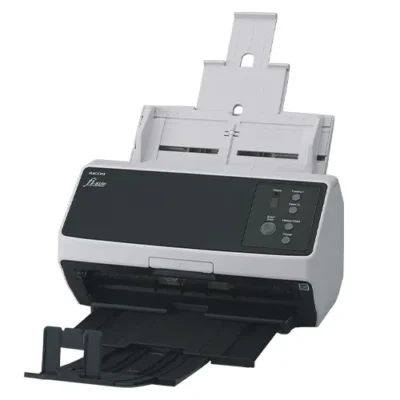
Ricoh fi-8150 50 ppm A4 Desktop ADF Document Scanner
£419.00 (ex. VAT) / £502.80 (inc. VAT)
Please Note – Product model images/videos shown may show/include additional options, accessories and/or features available at additional cost. For additional information, please refer to product key features, product specification table and datasheet information. Features, specifications, software, and any additional information provided may be subject to change or revision without notice.
Any automatic processing features and benefits mentioned are intended to aid user experience, but results may vary depending on your usage and the media being scanned. Any errors or inaccuracies with automatic processing features and benefits do not indicate an error with the functionality of the scanner.
Equipment performance, features and capabilities are based on using the equipment’s proprietary included software. The use of the equipment with any third-party software is not guaranteed or implied and guidance should be sought from the third-party software manufacturer or vendor to ensure compatibility with your intended usage. BDM ArcScan does not provide such advice, guidance, or support pre or post-sale.
Equipment features and benefits may vary depending on the operating system version, configuration, and type. As such, differences in functionality and available features may occur. Please refer to the datasheet and specification information of the equipment fully to check if any such differences exist, especially between Windows and Mac operating systems. E&OE.



Reviews