Canon Scanners
Reliable document capture. From desktop to production scanning.
Canon scanners deliver reliable, high-quality scanning solutions for home users, businesses and professional document capture environments.
From compact A4 flatbed and desktop scanners to advanced network models and high-speed A3 production systems, Canon offers a versatile range to suit different scanning requirements.
Combining intelligent image processing, automatic document handling and powerful scanning software, Canon scanners help simplify everyday tasks, improve productivity and streamline document management workflows.
Whether you need a straightforward scanner for occasional use or a high-performance solution for demanding workloads, Canon provides innovative technology designed to make document digitisation faster, easier and more efficient.
Explore the Canon scanner range at BDM ArcScan, including the CanoScan and imageFORMULA series, with expert advice, installation services and ongoing technical support to help you find the right scanning solution.

Canon Scanner Specialists
With specialist knowledge across the Canon scanner range, we’ll help you choose the right model for your requirements and workflow.
12-months TechAssist
Fast UK Delivery
With reliable UK delivery, we’ll help get your Canon scanner to you quickly so you can get up and running sooner.
Expert advice
With over 30 years of experience and knowledge, we provide expert guidance and support from initial enquiry through to installation and beyond.
Why Choose a Canon Scanner?
Canon scanners combine advanced imaging technology, reliable performance and intuitive operation to deliver high-quality results across everyday scanning tasks and demanding professional environments.
Designed for home users and businesses alike, they offer flexible document handling, intelligent image processing and efficient scanning workflows.
-
Capture documents quickly with high-speed duplex scanning
-
Handle different document sizes with versatile paper feeding
-
Achieve clear, accurate results with advanced image processing
-
Create searchable PDFs using OCR technology
-
Choose from flatbed, desktop, network and production scanners
From compact flatbed scanners for home and office use to high-performance A3 production systems, Canon offers a comprehensive range of solutions to suit different scanning needs.
Explore our range of Canon Scanners
-
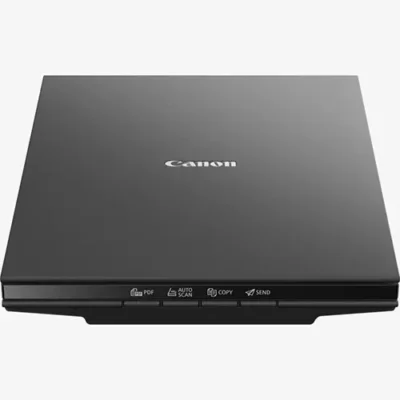
Canon CanoScan LiDE 300 A4 Flatbed Scanner
£55.00 (ex. VAT) / £66.00 (inc. VAT) -
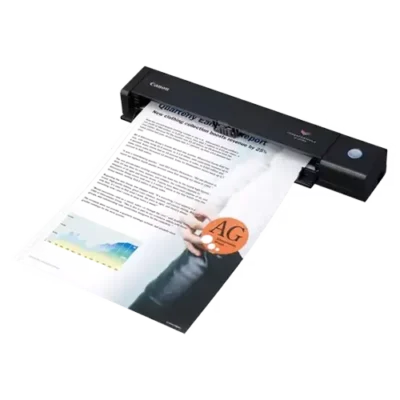
Canon imageFORMULA P-208 II Portable Duplex Document Scanner
£90.00 (ex. VAT) / £108.00 (inc. VAT) -

Canon imageFORMULA R30 A4 Desktop Document Scanner
£195.83 (ex. VAT) / £235.00 (inc. VAT) -
Sale!
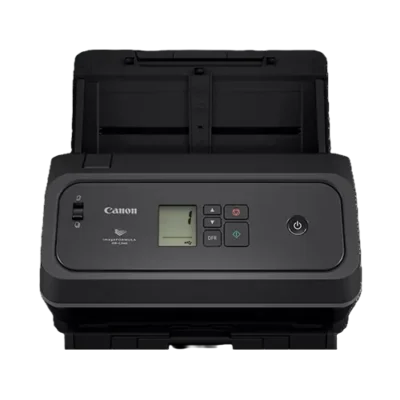
Canon imageFORMULA DR-C350 50ppm A4 Desktop Document Scanner
£259.00 (ex. VAT) / £310.80 (inc. VAT) -
Sale!
Canon imageFORMULA DR-C340 40ppm A4 Desktop Document Scanner
£285.00 (ex. VAT) / £342.00 (inc. VAT) -
Sale!
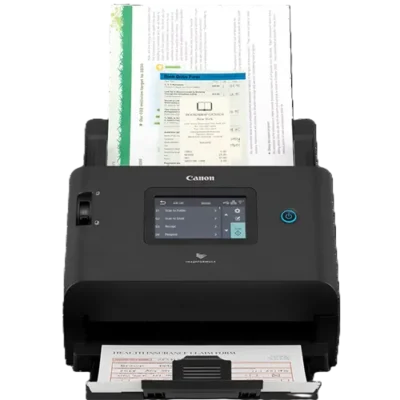
Canon imageFORMULA DR-S350NW 50ppm A4 Network Document Scanner
£319.00 (ex. VAT) / £382.80 (inc. VAT) -
Sale!
Canon imageFORMULA DR-C360 60ppm A4 Desktop Document Scanner
£499.00 (ex. VAT) / £598.80 (inc. VAT) -
Sale!
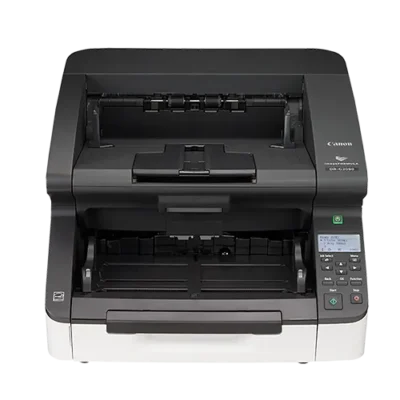
Canon imageFORMULA DR-G2090 100ppm A3 Production Scanner
£3,019.00 (ex. VAT) / £3,622.80 (inc. VAT) -
Sale!
Canon imageFORMULA DR-G2110 120ppm A3 Production Scanner
£4,199.00 (ex. VAT) / £5,038.80 (inc. VAT) -
Canon imageFORMULA DR-G2140 145ppm A3 Production Scanner
£7,185.29 (ex. VAT) / £8,622.35 (inc. VAT)
All prices shown with and without UK VAT. Delivery charges may apply, please see product listing or checkout basket for more information.
Canon CaptureOnTouch & CaptureOnTouch Pro Scanning Software

Canon CaptureOnTouch and CaptureOnTouch Pro are intuitive scanning software solutions designed to simplify document capture, processing and digital filing. Available with compatible Canon imageFORMULA scanners, they provide an easy way to scan, enhance, organise and save documents with minimal effort.
CaptureOnTouch offers straightforward scanning with convenient preset workflows, while CaptureOnTouch Pro provides additional functionality for more demanding business environments, including advanced document processing, batch scanning and automated workflows.
Both solutions support intelligent image processing, optical character recognition (OCR) and searchable PDF creation, helping businesses reduce manual tasks, improve productivity and manage digital documents more efficiently.
Whether you’re scanning everyday paperwork or processing larger document batches, Canon’s scanning software helps streamline the entire document capture process.
Software availability and compatibility vary by scanner model and operating system. Please check individual product pages for further details.

BDM ArcScan TechAssist: Free for 12 months on all Ricoh document scanners
Every Canon purchase includes 12 months of TechAssist, our support service at no extra cost. Get help when you need it with telephone, email and remote access support, so you can set up quickly and keep scanning smoothly from day one.
-
Telephone support for quick answers
-
Email support for follow-ups and guidance
-
Remote access support to help resolve setup issues faster
-
Help with installation and setup
-
Guidance on scan settings and workflows
Click to find out more!
Canon Scanners FAQs
Your Title Goes Here
Your content goes here. Edit or remove this text inline or in the module Content settings. You can also style every aspect of this content in the module Design settings and even apply custom CSS to this text in the module Advanced settings.
What types of scanners does Canon offer?
Canon offers a comprehensive range of scanners, from compact CanoScan flatbed models for documents and photographs to professional imageFORMULA scanners for business use. The range includes portable, desktop, network and high-speed production scanners, with A4 and A3 options available for different scanning requirements.
What is the difference between CanoScan and imageFORMULA scanners?
CanoScan models are primarily designed for flatbed scanning of photographs, documents, books and other printed materials. The imageFORMULA range focuses on document capture, offering automatic document feeders, high-speed duplex scanning and advanced software capabilities for business and professional applications.
Can Canon scanners scan both sides of a document automatically?
Many Canon imageFORMULA scanners feature automatic duplex scanning, allowing both sides of a document to be captured in a single pass. This significantly reduces scanning time when processing double-sided paperwork. CanoScan flatbed models generally require pages to be turned manually
Do Canon scanners support both A4 and A3 documents?
Canon offers scanners capable of handling A4 and A3 documents, depending on the model. Most desktop document scanners support up to A4, while selected imageFORMULA production scanners accommodate A3 originals. Some A4 models also support folded A3 documents using Folio Mode
Can Canon scanners handle receipts, business cards & plastic ID cards?
Many imageFORMULA scanners can capture different document sizes and media types, including receipts, business cards, invoices and plastic ID cards. Selected models also support passports and thicker originals. Document thickness, size and feeding capabilities vary, so it’s important to check individual model specifications.
Can Canon scanners create searchable PDF documents?
Can Canon scanners create searchable PDF documents?
Canon’s compatible scanning software supports optical character recognition (OCR), converting scanned text into searchable PDF documents. This makes it easier to locate information, organise digital records and retrieve documents without manually searching through individual pages.
Your Title Goes Here
Your content goes here. Edit or remove this text inline or in the module Content settings. You can also style every aspect of this content in the module Design settings and even apply custom CSS to this text in the module Advanced settings.
Are Canon scanners compatible with Windows and macOS?
Many Canon scanners support Windows, while selected models also offer macOS compatibility. Available drivers and scanning software vary across the CanoScan and imageFORMULA ranges. Always check the latest operating system and driver requirements for your chosen model before purchasing.
Can I connect a Canon scanner to a network or use Wi-Fi?
Selected Canon imageFORMULA scanners offer Ethernet and Wi-Fi connectivity, allowing multiple users to share a scanner across an office network. Other models connect directly to a computer using USB. Network-enabled models are particularly useful for shared workspaces and centralised document capture.
Can I scan documents without connecting a computer?
Certain Canon network scanners support standalone scanning directly from an integrated touchscreen. Depending on the model, documents can be sent to email, shared network folders and other destinations without using a computer. Selected models also support browser-based scanning from compatible smartphones and tablets.
What file formats do Canon scanners support?
Common output formats include PDF, JPEG, TIFF and PNG, depending on the scanner and software used. Selected imageFORMULA models also support searchable PDFs, PDF/A and Microsoft Office formats through OCR-enabled scanning workflows. Available file formats vary by model and application.
What scanning resolution should I use for documents and photographs?
For everyday business documents, 300 dpi generally provides a good balance between text clarity, file size and scanning speed. Higher resolutions, such as 600 dpi, can be useful for smaller text and detailed originals. Photograph scanning may benefit from higher optical resolutions, depending on the quality required.
Do Canon scanners require regular maintenance?
Document scanners with automatic feeders benefit from periodic cleaning of the scanning glass, rollers and paper path to maintain reliable operation. Feed rollers and other consumables may require replacement over time, particularly in high-volume environments. Maintenance requirements vary depending on the model and scanning workload.
Why buy from BDM ArcScan?
We’re more than just an online store — we’re document scanning specialists with over 30 years of experience. We work with all the key scanner brands and take pride in providing expert advice, personal service and ongoing support. From helping you choose the right equipment to 12 months of FREE TechAssist and our outsourced scanning bureau, we’re here to support you before, during and after your purchase.
Expert help choosing the right scanner
Not sure which Ricoh document scanner is right for your needs? Our expert team can help you compare models and features, matching the right scanner to your requirements and workflow so you can choose with confidence.
12 months of TechAssist included
Every new scanner purchase comes with 12 months of TechAssist FREE, giving you priority telephone, email and remote support whenever you need a helping hand with setup, software or those little technical issues.
Let us take care of your scanning
Our outsourced document scanning bureau can handle everything from one-off archive projects to ongoing scanning requirements, helping you save time, free up space and reduce the burden on your internal team.
Please Note – Product model images/videos shown may show/include additional options, accessories and/or features available at additional cost. For additional information, please refer to product key features, product specification table and datasheet information. Features, specifications, software, and any additional information provided may be subject to change or revision without notice.
Any automatic processing features and benefits mentioned are intended to aid user experience, but results may vary depending on your usage and the media being scanned. Any errors or inaccuracies with automatic processing features and benefits do not indicate an error with the functionality of the scanner.
Equipment performance, features and capabilities are based on using the equipment’s proprietary included software. The use of the equipment with any third-party software is not guaranteed or implied and guidance should be sought from the third-party software manufacturer or vendor to ensure compatibility with your intended usage. BDM ArcScan does not provide such advice, guidance, or support pre or post-sale.
Equipment features and benefits may vary depending on the operating system version, configuration, and type. As such, differences in functionality and available features may occur. Please refer to the datasheet and specification information of the equipment fully to check if any such differences exist, especially between Windows and Mac operating systems. E&OE.